目录
一、JDBC 整体
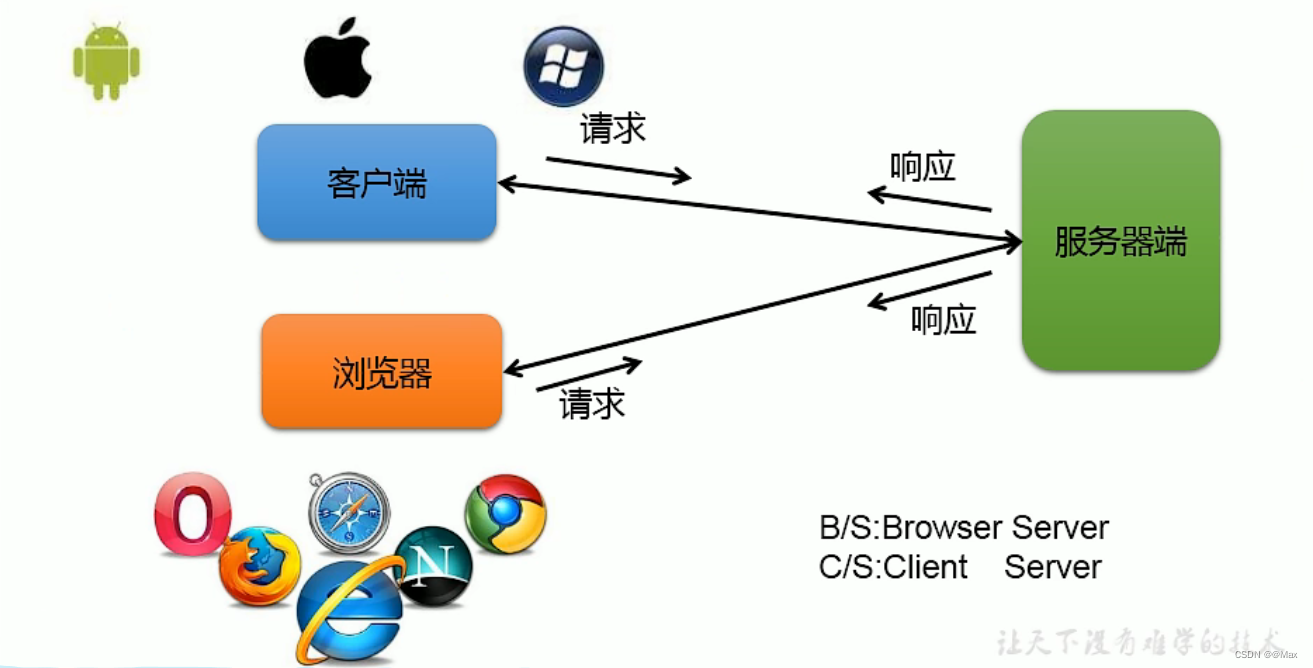
1.1 软件架构方式
1.2 技术体系
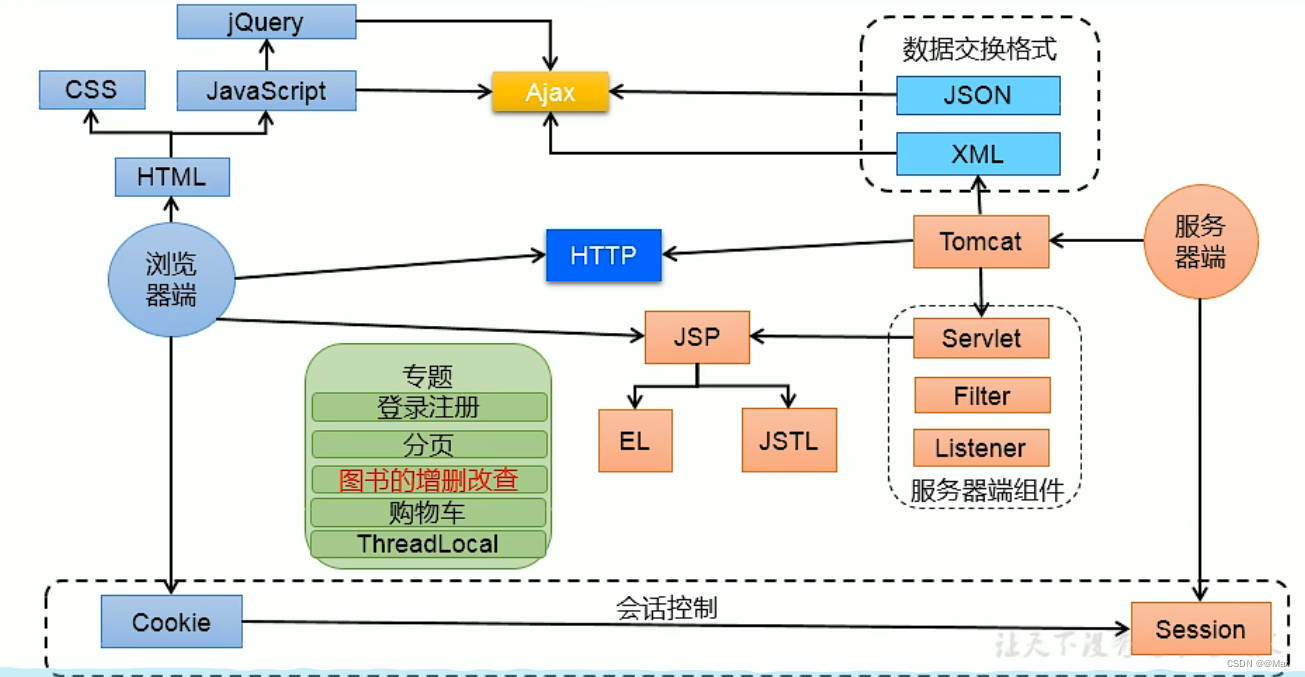
1.2.1 浏览器端
css:对网页进行美化。一种表现
Javascript: 负责页面的行为。如注册信息,登录等
HTML(超文本标记语言):负责页面整体框架,负责显示。
jQuery:js的方法封装在jQuery。现主流框架为vue,reavt(较难),ajs(国内用的少)。
1.2.3 服务器端
Tomcat服务器
XML语言:可自定义标签,用来写配置文件。负责后台配置不负责显示。
Servlet:获取用户名请求,处理请求,响应回浏览器端。
相应协议HTTP:应用层协议。(面试中重点)
如响应码:404找不到资源,200正常访问,500存在bug。
JSP技术:实现动态页面展示。本质为Servlet
EL表达式,JSL,Filter过滤器,Listner监听器。
Ajax:实现异步请求
JSON:与XML相似与Ajax交互(主流,更轻量级)数据交换格式。
二、JDBC概述
2.1数据持久化

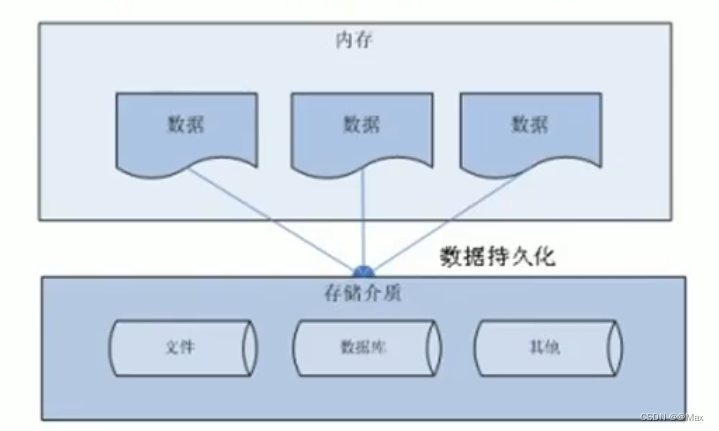
2.2数据存储技术
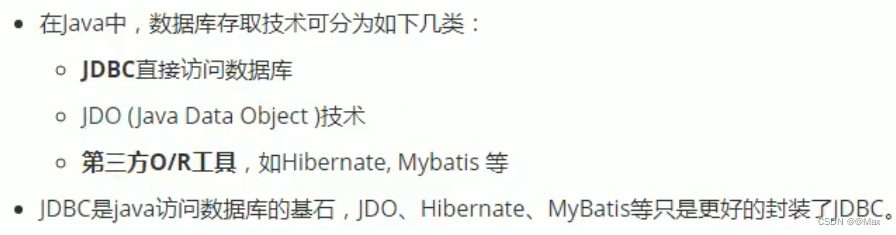
2.3 JDBC介绍
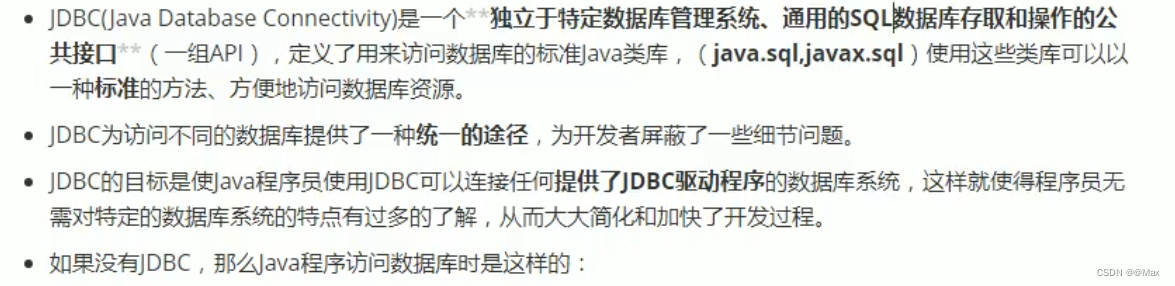
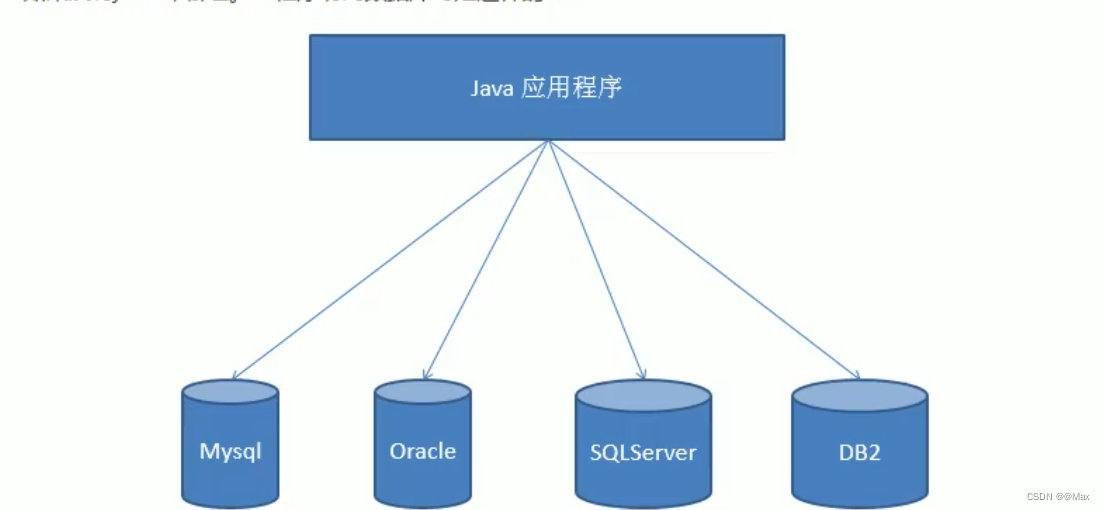
Mysql,Oracle(Oracle公司)SQLServer(微软)DB2(IBM公司)
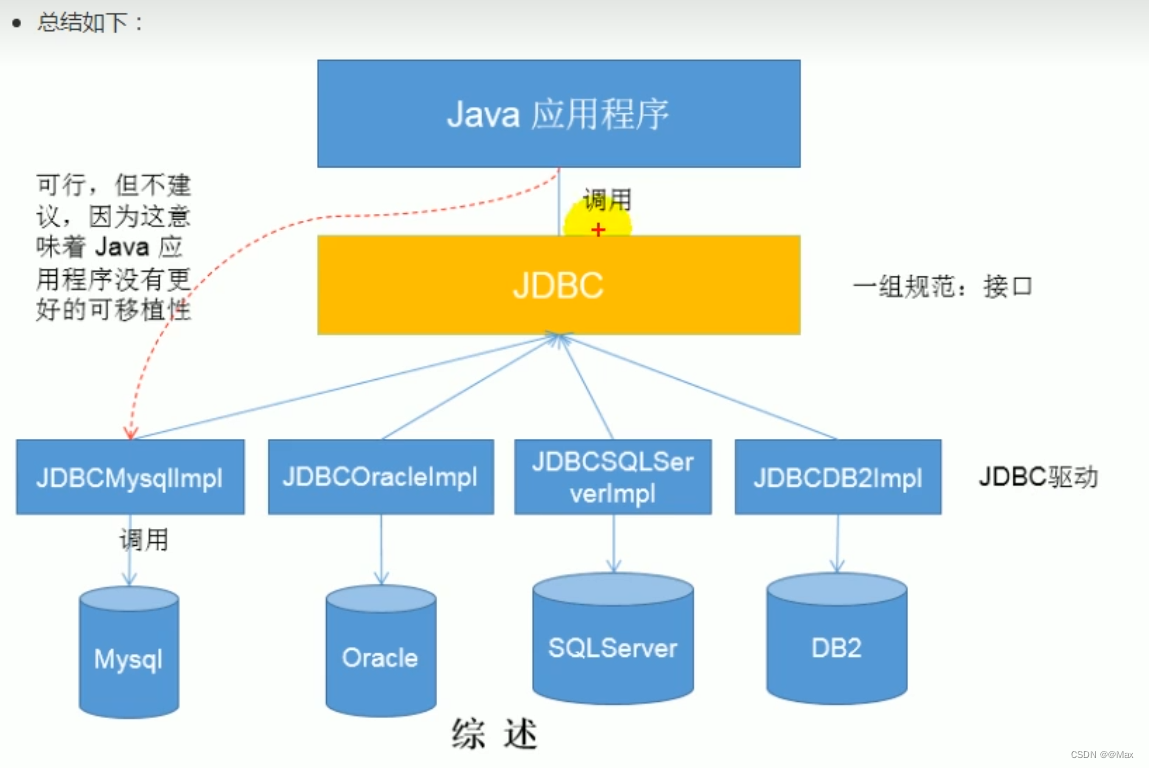
2.4JDBC体系结构

2.5程序编写的步骤

2.5.1如果使用java idea连接jdbc可以
在模块上右键 选择Open Module Settings
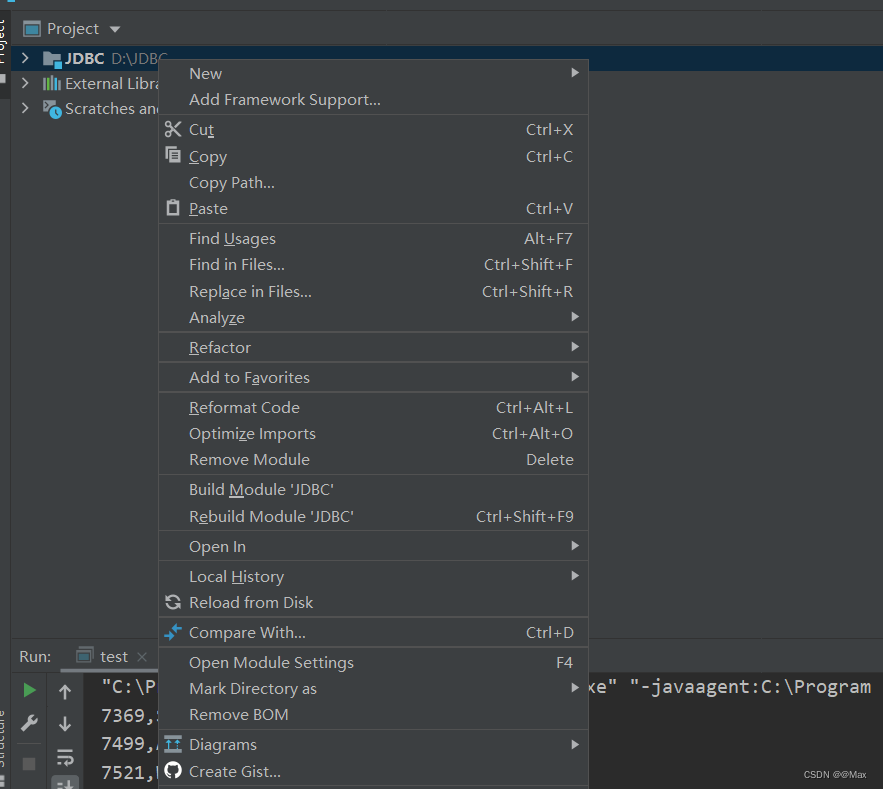
加号导入jar包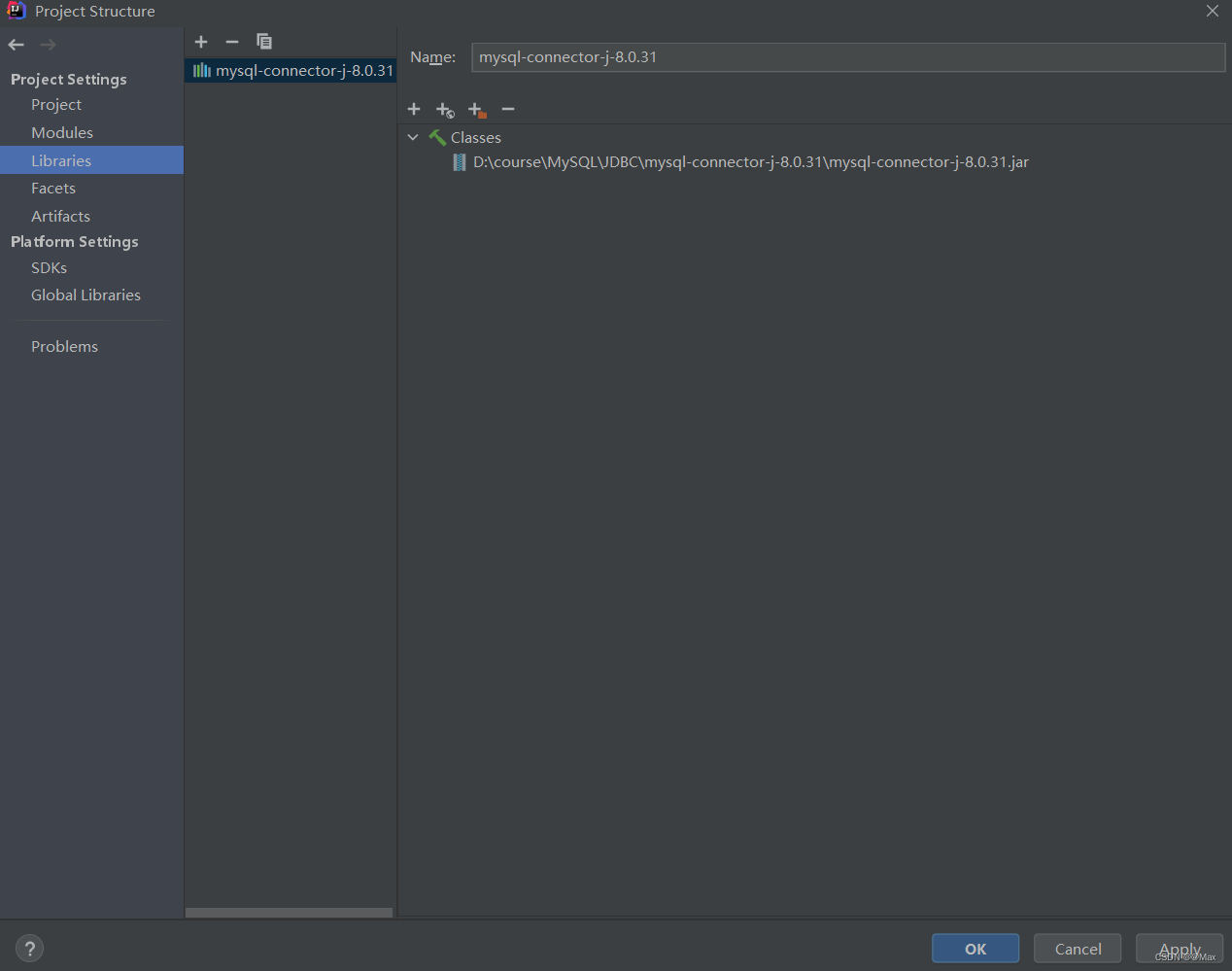
2.5.2编写代码与数据库建立连接
import java.sql.SQLException;
import java.sql.Connection;
import java.sql.Statement;
import java.sql.DriverManager;
import java.sql.Driver;

/**
 * 使用JDBC连接MySQL数据库
 */
public class test {
    public static void main(String[] args) {
        Connection con = null;
        Statement sta = null;
        try {
            //注册驱动
            Driver driver = new com.mysql.jdbc.Driver();//多态,父类型引用指向自类型对象
            DriverManager.registerDriver(driver);
            //获取连接
                /*url:统一资源定位符
                URL包括:协议,IP,PORT,资源名(bjpowernode)
                自己的ip可以为localhost或者127.0.0.1  连接其他主机有时可能需要关闭防火墙
                 */
            String url = "jdbc:mysql://localhost:3306/bjpowernode";
            String user = "root";
            String password = "123456";
            con = DriverManager.getConnection(url, user, password);
            System.out.println("数据库连接对象" + con);
            //获取数据库操作对象
            sta = con.createStatement();
            //执行sql
            String sql = "insert into dept(deptno,dname,loc) value(66,'人事部','北京')";
            //专门执行DML语句(insert delete update) 对表中数据进行修改
            //返回值是“影响数据库中的记录条数”
            int count = sta.executeUpdate(sql);
            System.out.println(count == 1 ? "保存成功" : "保存失败");
            //释放资源在finally中释放
        } catch (SQLException e) {
            e.printStackTrace();
        } finally {
            //释放资源 保证资源释放并且尊云从小到大以此关闭,分别对其trycatch
            try {
                if (sta != null) {
                    sta.close();
                }
            } catch (SQLException e) {
                e.printStackTrace();
            }
            try {
                if (con != null) {
                    con.close();
                }
            } catch (SQLException e) {
                e.printStackTrace();
            }
        }
    }
}
2.5.3对数据库进行删除操作
import java.sql.*;
public class test {
    public static void main(String[] args) {
        Connection conn=null;
        Statement statement=null;
        try{
            //1.注册驱动
            DriverManager.registerDriver(new com.mysql.jdbc.Driver());
            //2.获取连接
            conn = DriverManager.getConnection("jdbc:mysql://localhost:3306/bjpowernode","root","123456");
            //3.获取数据库操作对象
            statement=conn.createStatement();
            //4.执行SQL语句(JDBC语句不需要写分号)
            String sql="delete from dept where deptno=66";
            int count=statement.executeUpdate(sql);
            System.out.println(count==1?"保存成功":"保存失败");
        }catch(SQLException e){
            e.printStackTrace();
        }finally{
            //5.释放资源
            if(conn!=null){
                try{conn.close();
                }catch (SQLException e){
                    e.printStackTrace();
                }
            }
            if(statement!=null){
                try{statement.close();
                }catch (SQLException e){
                    e.printStackTrace();
                }
            }
        }
    }
}
类加载时会执行静态代码块,反射机制
class。forName("com.mysql.jdbc.Driver")
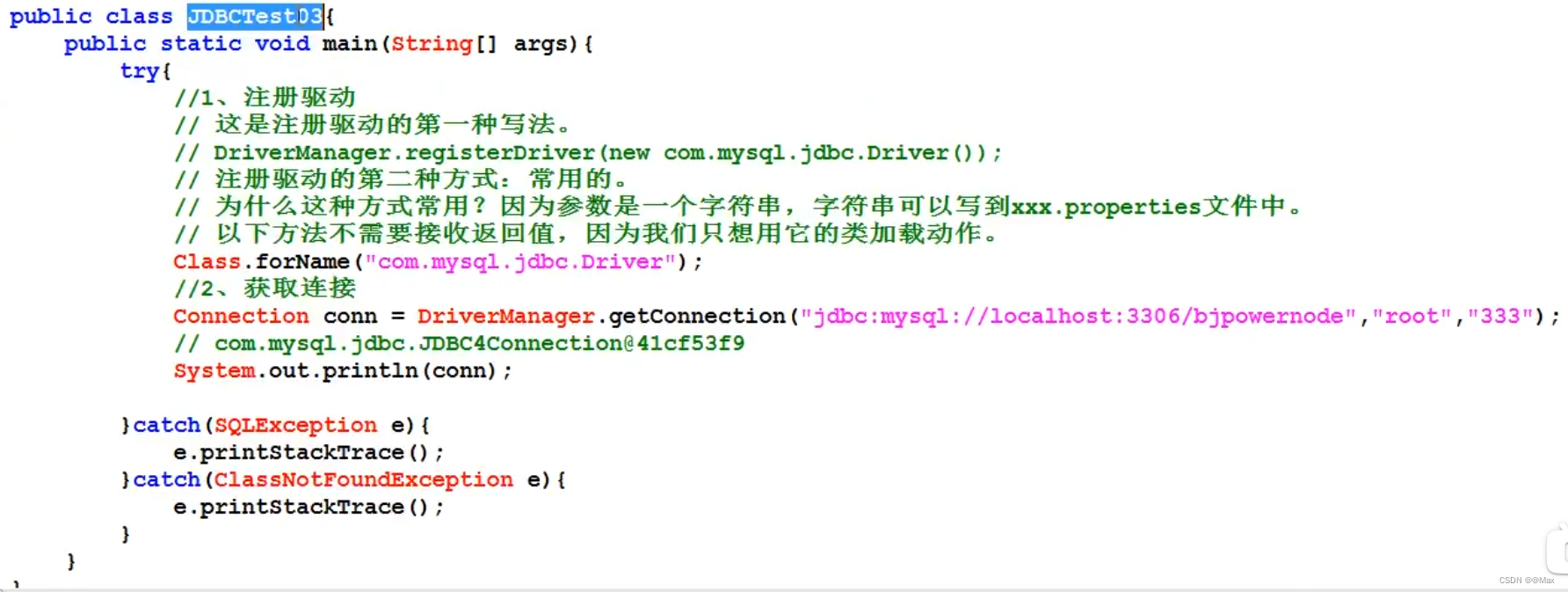
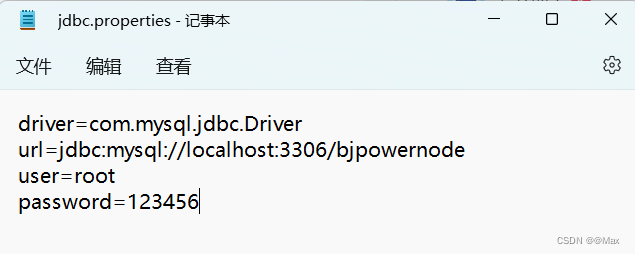
2.5.4开发中更倾向于与用资源绑定器进行资源绑定
创建一个properties的文件
import java.sql.*;
import java.util.ResourceBundle;

public class test {
    public static void main(String[] args) {
        //使用资源绑定器绑定属性配置文件
        ResourceBundle bundle=ResourceBundle.getBundle("jdbc");
        String driver=bundle.getString("driver");
        String url=bundle.getString("url");
        String user=bundle.getString("user");
        String password=bundle.getString("password");
        Connection conn=null;
        Statement statement=null;
        try{
            //1.注册驱动
            Class.forName(driver);
            //或者class。forName("com.mysql.jdbc.Driver")
            //2.获取连接
            conn = DriverManager.getConnection(url,user,password);
            //3.获取数据库操作对象
            statement=conn.createStatement();
            //4.执行SQL语句(JDBC语句不需要写分号)
            String sql="delete from dept where deptno=20";
            int count=statement.executeUpdate(sql);
            System.out.println(count==1?"保存成功":"保存失败");
        }catch(Exception e){
            e.printStackTrace();
        }finally{
            //5.释放资源
            if(conn!=null){
                try{conn.close();
                }catch (SQLException e){
                    e.printStackTrace();
                }
            }
            if(statement!=null){
                try{statement.close();
                }catch (SQLException e){
                    e.printStackTrace();
                }
            }
        }
    }
}
2.6执行查询语句
将第四步的执行语句改为增加第五步
import java.sql.*;
public class test {
    public static void main(String[] args) {
        Connection conn=null;
        Statement statement=null;
        ResultSet rs=null;
        try{
            //1.注册驱动
            Class.forName("com.mysql.cj.jdbc.Driver");
            //2.获取连接
            conn = DriverManager.getConnection("jdbc:mysql://localhost:3306/bjpowernode","root","123456");
            //3.获取数据库操作对象
            statement=conn.createStatement();
            //4.执行SQL语句(JDBC语句不需要写分号)
            String sql="select empno,ename,sal from emp";
            //int executeUpdate(insert/delete/update)
            //ResultSet executeQuery(select) 返回结果集 Query查询的意思 select选择
            rs=statement.executeQuery(sql);
            //输出查询结果集 括号里最终查询结果的列名 getString将输出的所有结果转换为String
            while (rs.next()){
                String empno = rs.getString("empno");
                String ename = rs.getString("ename");
                String sal = rs.getString("sal");
                System.out.println(empno+","+ename+","+sal);
            }
        }catch(Exception e){
            e.printStackTrace();
        }finally{
            //5.释放资源
            if(rs!=null){
                try{rs.close();
                }catch (Exception e){
                    e.printStackTrace();
                }
            }
            if(statement!=null){
                try{statement.close();
                }catch (Exception e){
                    e.printStackTrace();
                }
            }
            if(conn!=null){
                try{conn.close();
                }catch (Exception e){
                    e.printStackTrace();
                }
            }

        }
    }
}