css word-spacing test 2208100255
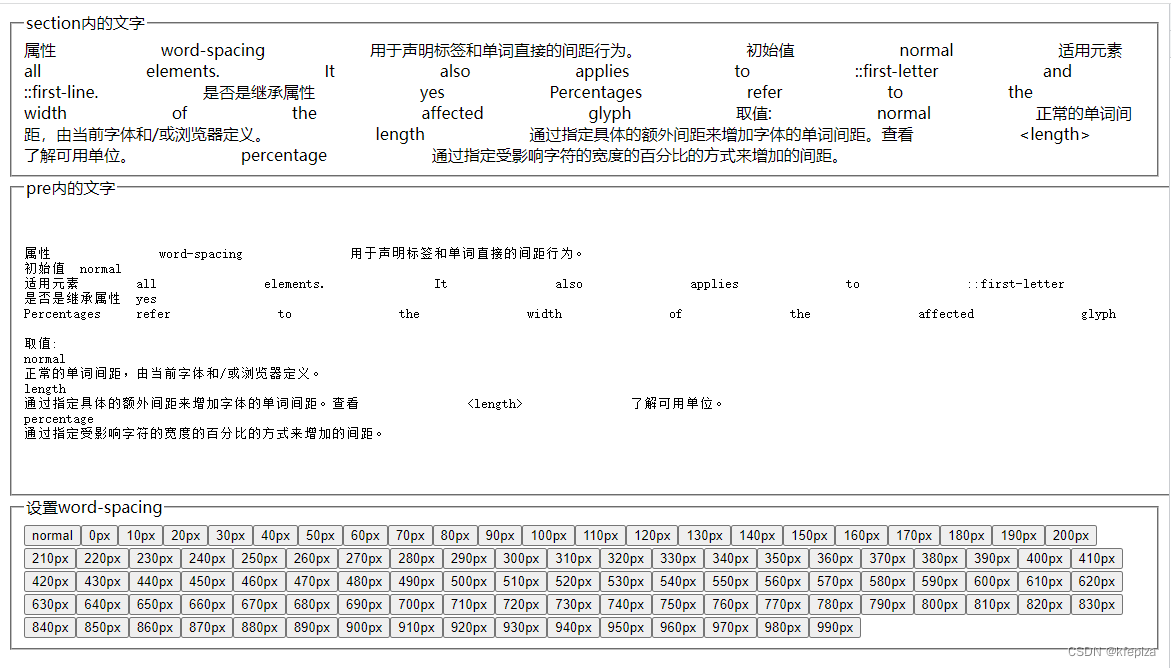
属性 word-spacing 用于声明标签和单词直接的间距行为。
初始值 normal
适用元素 all elements. It also applies to ::first-letter and ::first-line.
是否是继承属性 yes
Percentages refer to the width of the affected glyph
取值:
normal
正常的单词间距,由当前字体和/或浏览器定义。
length
通过指定具体的额外间距来增加字体的单词间距。查看 了解可用单位。
percentage
通过指定受影响字符的宽度的百分比的方式来增加的间距。
测试代码
<!DOCTYPE html><html lang="zh-CN"><head><meta charset="utf-8"/><title>css word-spacing test 2208100255</title>


</head><body>


	<fieldset><legend>section内的文字</legend>
		<section class="WordSpacingTestContainer" >

		</section>
	</fieldset>

	<fieldset><legend>pre内的文字</legend>
		<pre class="WordSpacingTestContainer" >

		</pre>
	</fieldset>


	<fieldset><legend>设置word-spacing</legend><section id="buttonsOfSetWordSpacing"></section></fieldset>

	<script>


		let str=`

属性 word-spacing 用于声明标签和单词直接的间距行为。
初始值	normal
适用元素	all elements. It also applies to ::first-letter and ::first-line.
是否是继承属性	yes
Percentages	refer to the width of the affected glyph

取值:
normal
正常的单词间距,由当前字体和/或浏览器定义。
length
通过指定具体的额外间距来增加字体的单词间距。查看 <length> 了解可用单位。
percentage
通过指定受影响字符的宽度的百分比的方式来增加的间距。

		`;


		const WordSpacingTestContainerArray = [...document.querySelectorAll('.WordSpacingTestContainer')];

		for(let e of WordSpacingTestContainerArray)e.textContent=str;

		const Ops = ["normal"]; for(let n=0;n<1000;n+=10)Ops.push(n+"px");

		let buttonsOfSetWordSpacing = document.getElementById("buttonsOfSetWordSpacing");

		Ops.forEach(op=>{
			let btn = document.createElement("button"); btn.type="button";
			btn.innerHTML=op;
			btn.addEventListener("click", ev=>{
				for(let e of WordSpacingTestContainerArray){
					e.style.wordSpacing=op;
				}
			});
			buttonsOfSetWordSpacing.appendChild(btn);
		});


	</script>


</body></html>
本文含有隐藏内容,请 开通VIP 后查看