目录
前言
树形结构比普通数组结构稍微复杂写, 但并非非常复杂也只不过是嵌套多许多层级和不确定层级数是多少层,使用普通数组的常规遍历来修改树形结构并不是特别妥当的,并非说是行不通,如果确定了树形层级完全是可以用多层遍历实现,但层级是不确定的话则行不通了,这时候就因该使用递归去一层层操作直到层级的最后一层。且使用递归的话代码更加简洁。
一、普通修改树形结构所有层级属性值
使用递归进行各层级操作修改属性值
let arr = [
  { id: 1, children: [] },
  { id: 2, children: [
    { id: 201, children: [] },
    { id: 202, children: [
      { id: 2001, children: [] }
    ] },
    { id: 203, children: [] }
  ] },
  { id: 3, children: [
    { id: 301, children: [] }
  ] },
]
function deepSetProp(ars, option = { children: 'children', key: 'key', value: null }) {
  let dataStroe = JSON.parse(JSON.stringify(ars));
  function deepSet(arr, children, key, value) { //常规遍历数组进行修改属性值
    if (arr && Array.isArray(arr)) {
      arr.map(item => {
        item[key] = value;
        item[children] = deepSet(item[children], children, key, value); //递归层级再次进行deepSet函数操作
      })
      return arr;
    }
  }
  return deepSet(dataStroe, option.children, option.key, option.value)
}
console.log(deepSetProp(arr, { children: 'children', key: 'key', value: 1 }))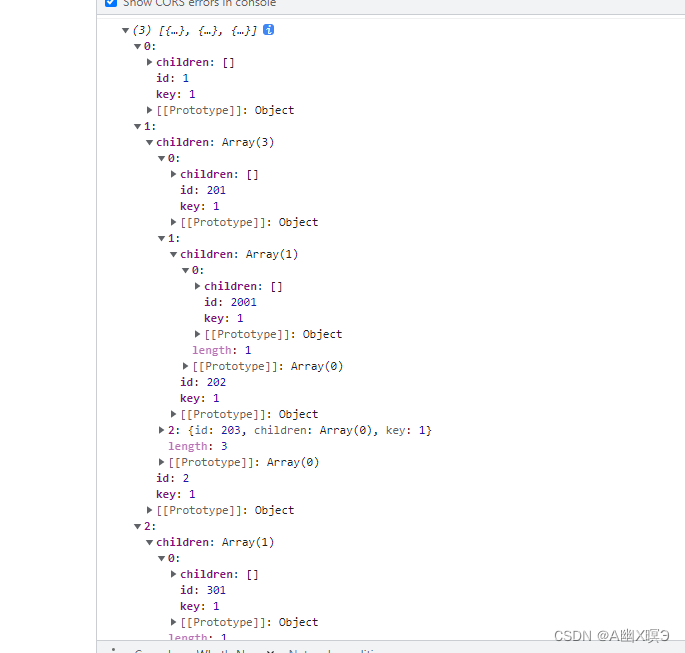
打印结果树形机构的各个层级“key”属性值都修改为1
二、在修改所有层级前提做出判断进行修改
使用递归进行各层级操作 不急着修改属性值在设立一个条件满足则进行修改。
let arr = [
  { id: 1, children: [] },
  { id: 2, children: [
    { id: 201, children: [] },
    { id: 202, children: [
      { id: 2001, children: [] }
    ] },
    { id: 203, children: [] }
  ] },
  { id: 3, children: [
    { id: 301, children: [] }
  ] },
]
/**
 * deepSetProp(ars, callback, option) 给tree类型数组更改属性 (可控制层级)
 *   ars: 操作的对象数组
 *   callback(item, index, countDep, ars): 条件函数
 *     item: 元素项
 *     index: 索引
 *     countDep: 树形操作中所在层级
 *     ars: 操作的对象数组
 *   option: 配置项
 *     children: 子层属性键 默认 children
 *     key: 所需更改的属性键 默认 key
 *     value: 所需更改的属性值 默认 null
 */
function deepSetProp(ars, callback, option = { children: 'children', key: 'key', value: null }) {
  let dataStroe = JSON.parse(JSON.stringify(ars));
  function deepSet(arr, children, key, value , callback, deep, state) { //state用于调用初次传参不进行层级数增加
    let countDep = deep;
    if (arr && Array.isArray(arr)) {
      return arr.map((item, index) => {
        countDep = (!index && !state) ? ++countDep : countDep;
        /**
         * 第一次元素ars遍历是的所有操作元素内的元素 arr[0]初始为1(第一层)
         * 之后递归传递ars[children] 作为arr 再次arr[0]以此类推 增1 得到 列:得到2,3,4...层级
         */
        if (callback(item, index, countDep, dataStroe)) {
          /**
           * 调用callback函数传入各个参数 主要还是countDep 传入给deepSetProp中第二个参数callback函数
           * deepSetProp中第二个参数callback函数 得到参数后进行判断条件层级则属性值更改
           */
          item[key] = value;
        }
        let childrenArr = deepSet(item[children], children, key, value, callback, countDep);
        item[children] = childrenArr;
        return item;
      })
    }
  }
  return deepSet(dataStroe, option.children, option.key, option.value, callback, 1, true)
}
console.log(deepSetProp(arr, (item, index, countDep) => countDep === 1, option = { children: 'children', key: 'key', value: true })) // 图一
console.log(deepSetProp(arr, (item, index, countDep) => countDep === 2, option = { children: 'children', key: 'key', value: true })) // 图二
图一:
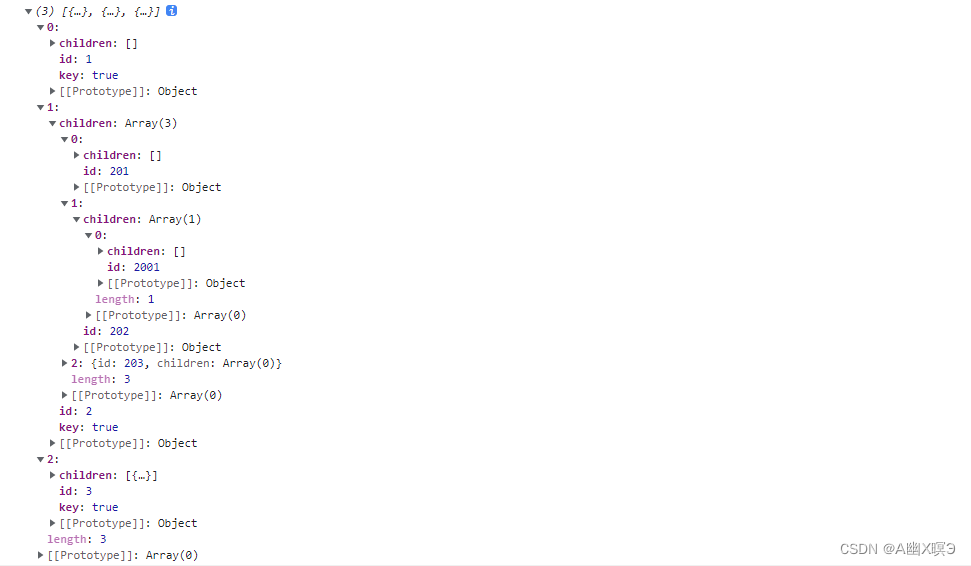
图二:

方法我也分装差不多了虽然不是很好,其次使用说明也注释了,方法内的注释可能说的不够详细表述能力只能这样了。
是不是发现我没选择层级自定义修改
let countDepArray = [1,3]; //指定 1,3层级
console.log(deepSetProp(arr, (item, index, countDep) => ~countDepArray.indexOf(countDep), option = { children: 'children', key: 'key', value: true }))
图三:
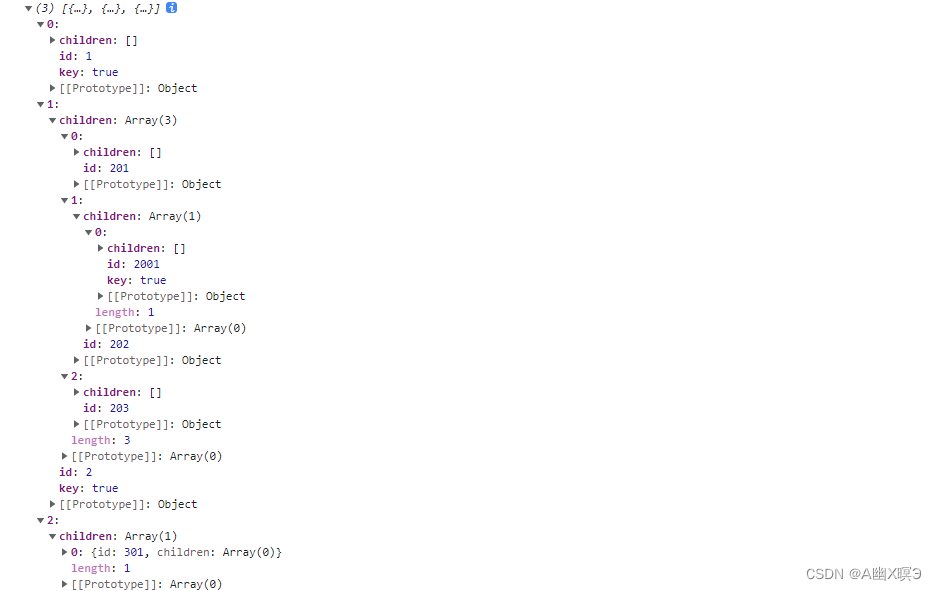
callback(item, index, countDep, ars) 已经有”countDep“所在层级,用什么也不用太在意了。
总结
本文仅仅是我个人对树形修改了解和分享~
本文含有隐藏内容,请 开通VIP 后查看