一、源码特点
winform 会所管理系统 是一套完善的桌面程序设计管理系统,系统具有完整的代码数据库,系统主要采用C/S模式开发。
应用技术:winform c#+sqlserver
开发工具:vs2010 +sqlserver
winform会所管理系统VS开发sqlserver数据库c
二、功能介绍
(1)积分规则管理:对积分规则信息进行添加、删除、修改和查看
(2)会员卡管理:对会员卡信息进行添加、删除、修改和查看
(3)衣柜管理:对衣柜信息进行添加、删除、修改和查看
(4)职务管理:对职务信息进行添加、删除、修改和查看
(5)员工管理:对员工信息进行添加、删除、修改和查看
(6)会员管理:对会员信息进行添加、删除、修改和查看
(7)缴费情况管理:对缴费情况信息进行添加、删除、修改和查看
(8)来访情况管理:对来访情况信息进行添加、删除、修改和查看
(9)课程管理:对课程信息进行添加、删除、修改和查看
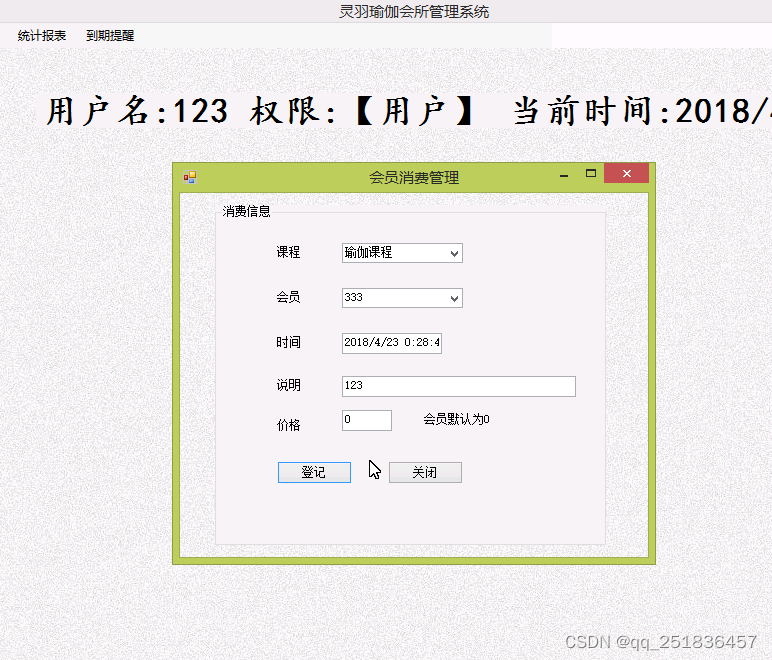
(10)消费管理:对消费信息进行添加、删除、修改和查看
(11)设置管理:对设置信息进行添加、删除、修改和查看
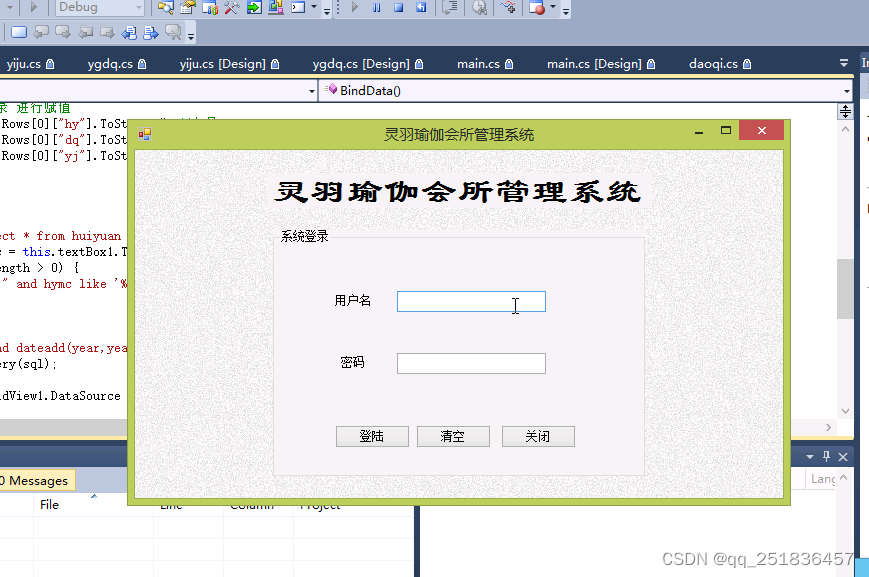
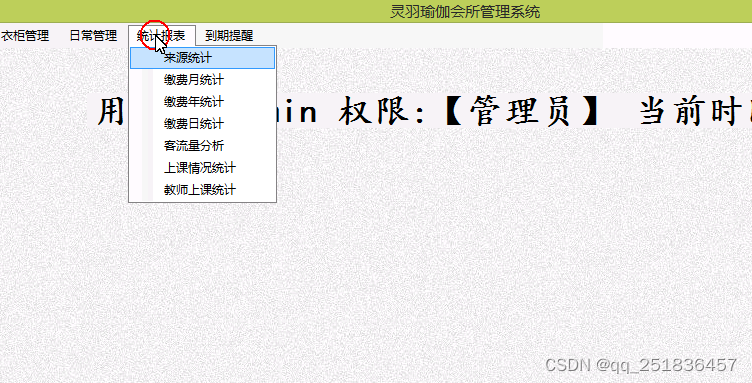
(12)登录、退出、主界面
部分代码:
  ---积分规则保存

  string strErr = "";
          if(this.txtjf.Text.Trim().Length==0){
 strErr += "积分不能为空!\n"; }

if(this.txtdj.Text.Trim().Length==0){
 strErr += "等级不能为空!\n"; }

if(this.txtsm.Text.Trim().Length==0){
 strErr += "说明不能为空!\n"; }


            if (strErr != "")
            {
                MessageBox.Show(this, strErr);
                return;
            }
         string jf=this.txtjf.Text;//积分
string dj=this.txtdj.Text;//等级
string sm=this.txtsm.Text;//说明

            int row = 0;
            string sql = "insert into jfgz (jf,dj,sm ) values ('"+jf+"','"+dj+"','"+sm+"')";
            row = DBO.ExecuteCommand(sql);
            MessageBox.Show(this, "保存成功!");
            BindData();
---删除

  int id = 0;
            int i = dataGridView1.CurrentRow.Index;
            try
            {

                id = Convert.ToInt32(dataGridView1.Rows[i].Cells[0].Value);
                string sql = "delete from jfgz where jfgzid='" + id + "'";//删除sql语句
                //    MessageBox.Show(this, "i=="+i);
                if (i >= 0)
                {
                    DBO.ExecuteCommand(sql);
                    MessageBox.Show("删除成功!", "删除提示!", MessageBoxButtons.OK, MessageBoxIcon.Information);

                }
                else
                {
                    MessageBox.Show(this, "请选择要删除的数据!");
                }
            }
            catch (Exception ex)
            {
                MessageBox.Show(this, ex.Message);
            }
            BindData();

---详情
   int id = 0;
            int i = dataGridView1.CurrentRow.Index;
            try
            {

              // clid = Convert.ToInt32(dataGridView1.Rows[i].Cells[0].Value);

                //    MessageBox.Show(this, "i=="+i);
                if (i >= 0)
                {
                   this.txtjfgzid.Text=dataGridView1.Rows[i].Cells[0].Value.ToString();//积分规则编号
this.txtjf.Text=dataGridView1.Rows[i].Cells[1].Value.ToString();//积分
this.txtdj.Text=dataGridView1.Rows[i].Cells[2].Value.ToString();//等级
this.txtsm.Text=dataGridView1.Rows[i].Cells[3].Value.ToString();//说明

                    this.buttonmodify.Visible = true;

                }
                else
                {
                    MessageBox.Show(this, "请选择要查看的积分规则信息!");
                }
}
 catch (Exception ex) {
                MessageBox.Show(this, ex.Message);
            }

---修改
   string strErr = "";
     if(this.txtjf.Text.Trim().Length==0){
 strErr += "积分不能为空!\n"; }

if(this.txtdj.Text.Trim().Length==0){
 strErr += "等级不能为空!\n"; }

if(this.txtsm.Text.Trim().Length==0){
 strErr += "说明不能为空!\n"; }


            if (strErr != "")
            {
                MessageBox.Show(this, strErr);
                return;
            }
               string jf=this.txtjf.Text;//积分
string dj=this.txtdj.Text;//等级
string sm=this.txtsm.Text;//说明

            string jfgzid = this.txtjfgzid.Text;///
            int row = 0;
            string sql = "update jfgz set  jf='"+jf+"',dj='"+dj+"',sm='"+sm+"' where jfgzid ="+jfgzid;
            row = DBO.ExecuteCommand(sql);
            MessageBox.Show(this, "修改成功!");
            BindData();


---binddata
 public void BindData()
        {


            DataSet ds = new DataSet();


            string sql = "select * from jfgz where 1=1";

            ds = DBO.query(sql);

            this.dataGridView1.DataSource = ds.Tables[0];


            this.buttonmodify.Visible = false;
            //this.txtjfgz.Text = "";


        }
三、注意事项
1、管理员账号:admin 密码:admin
2、开发环境为vs2010,数据库为sqlserver2008,使用c#语言开发。
3、数据库文件名是winhuisuo.mdf
系统实现


本文含有隐藏内容,请 开通VIP 后查看