一,建立数据库
1.建表语法:
DROP TABLE IF EXISTS `payment`;
CREATE TABLE `payment` (
`id` bigint(20) NOT NULL,
`serial` varchar(255) CHARACTER SET utf8 COLLATE utf8_general_ci DEFAULT NULL,
PRIMARY KEY (`id`) USING BTREE
) ENGINE = InnoDB CHARACTER SET = utf8 COLLATE = utf8_general_ci ROW_FORMAT = Dynamic;
-- ----------------------------
-- Records of payment
-- ----------------------------
INSERT INTO `payment` VALUES (1, '2323');
INSERT INTO `payment` VALUES (36, '121212');
SET FOREIGN_KEY_CHECKS = 1;
二,构建maven项目
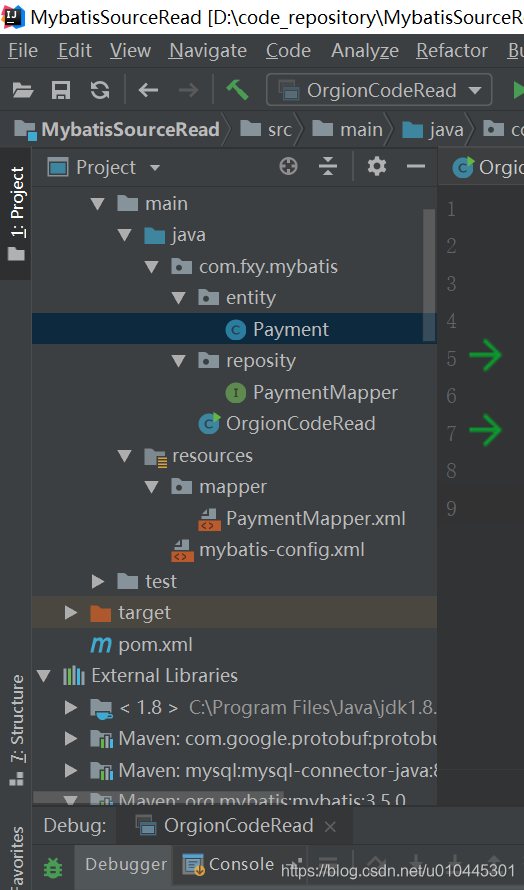
2.项目结构
3. pom文件(3.5.0版本)
<dependencies>
<dependency>
<groupId>mysql</groupId>
<artifactId>mysql-connector-java</artifactId>
<version>8.0.18</version>
</dependency>
<dependency>
<groupId>org.mybatis</groupId>
<artifactId>mybatis</artifactId>
<version>3.5.0</version>
</dependency>
</dependencies>
4.相关代码
5.mybatis相关配置文件
<?xml version="1.0" encoding="UTF-8" ?>
<!DOCTYPE configuration
PUBLIC "-//mybatis.org//DTD Config 3.0//EN"
"http://mybatis.org/dtd/mybatis-3-config.dtd">
<configuration>
<environments default="development">
<environment id="development">
<transactionManager type="JDBC"/>
<dataSource type="POOLED">
<property name="driver" value="com.mysql.cj.jdbc.Driver"/>
<property name="url" value="jdbc:mysql://127.0.0.1:3306/db2019?serverTimezone=UTC"/>
<property name="username" value="root"/>
<property name="password" value="123456"/>
</dataSource>
</environment>
</environments>
<mappers>
<mapper resource="mapper/PaymentMapper.xml"/>
</mappers>
</configuration>
6. entity文件
package com.fxy.mybatis.entity;
public class Payment {
private Long id;
private String serial;
public Long getId() {
return id;
}
public void setId(Long id) {
this.id = id;
}
public String getSerial() {
return serial;
}
public void setSerial(String serial) {
this.serial = serial;
}
@Override
public String toString() {
return "Payment{" +
"id=" + id +
", serial='" + serial + '\'' +
'}';
}
}
7. mapper接口文件
package com.fxy.mybatis.reposity;
import com.fxy.mybatis.entity.Payment;
public interface PaymentMapper {
Payment getPayment(int id);
}
8. mapper.xml配置文件
<?xml version="1.0" encoding="UTF-8" ?>
<!DOCTYPE mapper
PUBLIC "-//mybatis.org//DTD Mapper 3.0//EN"
"http://mybatis.org/dtd/mybatis-3-mapper.dtd">
<mapper namespace="com.fxy.mybatis.reposity.PaymentMapper">
<select id="getPayment" resultType="com.fxy.mybatis.entity.Payment">
select * from payment where id = #{id}
</select>
</mapper>
9.主函数入口文件
package com.fxy.mybatis;
import com.fxy.mybatis.entity.Payment;
import com.fxy.mybatis.reposity.PaymentMapper;
import org.apache.ibatis.io.Resources;
import org.apache.ibatis.session.SqlSession;
import org.apache.ibatis.session.SqlSessionFactory;
import org.apache.ibatis.session.SqlSessionFactoryBuilder;
import java.io.IOException;
import java.io.InputStream;
public class OrgionCodeRead {
public static void main(String[] args) throws IOException {
//1\读取配置文件
String resource = "mybatis-config.xml";
InputStream inputStream = Resources.getResourceAsStream(resource);
//2、初始化mybatis,创建SqlSessionFactory类实例
SqlSessionFactory sqlSessionFactory = new SqlSessionFactoryBuilder().build(inputStream);
//3、创建Session实例
SqlSession session = sqlSessionFactory.openSession();
Payment payment = session.selectOne("com.fxy.mybatis.reposity.PaymentMapper.getPayment",36);
PaymentMapper paymentMapper = session.getMapper(PaymentMapper.class);
Payment payment1= paymentMapper.getPayment(1);
System.out.println(payment.toString());
System.out.println(payment1.toString());
}
}
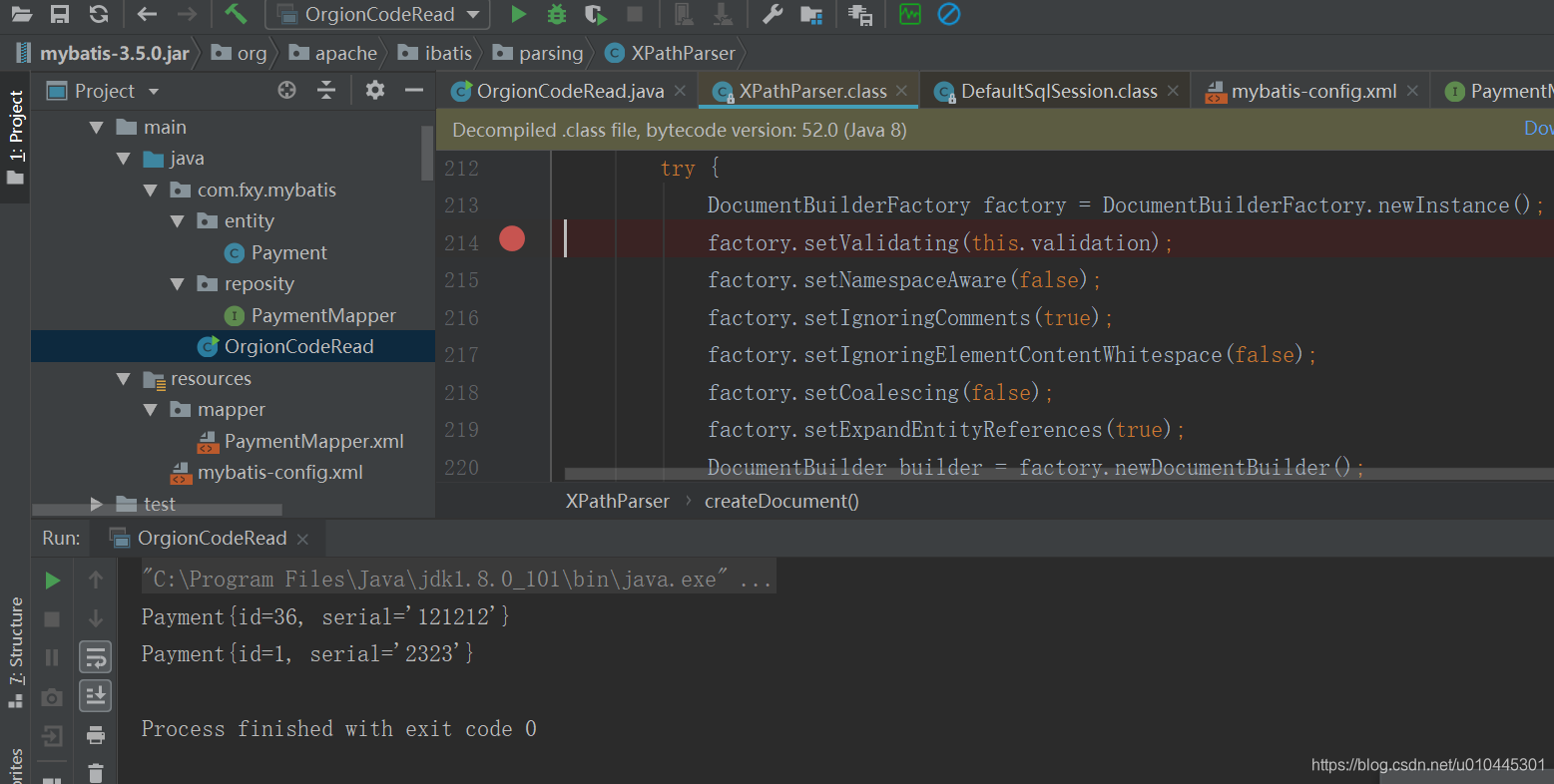
10.执行结果