之前一直没注意
SnapHelper辅助类的功能,去年的时候看到项目中仅通过俩行代码设置RecyclerView后就提升了用户体验,觉得还是很有必要了解一下,尝试过后才发现其PagerSnapHelper、LinearSnapHelper子类可以作用于不同场景,且听吾言
RecyclerView基础
- Android进阶之路 - RecyclerView基础使用(17年)
- Android进阶之路 - RecyclerView实现横、纵向滑动列表(19年)
- Android基础进阶 - RecyclerView列表加载多类型视图
RecyclerView扩展
- Android进阶之路 - RecyclerView加载多类型视图(ConcatAdapter到底有没有学习必要?)
- Android进阶之路 - RecyclerView停止滑动后Item自动居中(SnapHelper辅助类)
RecyclerView相关功能
- Android进阶之路 - RecyclerView左划删除(SwipeRecyclerView的简单使用 17年)
- Android进阶之路 - RecyclerView列表置顶、滑动到指定条目(18年)
- Android进阶之路 - RecyclerView列表自动无限水平滚动(21年)
- Android进阶之路 - 双列表联动效果(18年)
他字字未提喜欢你,你句句都是我愿意
你在开发项目中遇到过这样的场景吗?
Hint:
RecyclerView为水平滑动 && 子ItemView宽度非match_parent(支持同屏展示多个ItemView)
- 用户滑动列表时产生类似
ViewPager效果,停止滑动后ItemView自动居中(一般正常速度滑动只滑动一条数据,但是当滑动速度加快(比较费力时),可能会滑动多条数据) - 用户正常速度滑动列表时可更轻易的滑动多条数据,停止滑动后子
ItemView自动居中
Look效果:如果以下效果不能完全满足,也可以自定义SnapHelper,然后参考其子类实现增添部分你需要的业务功能,例如修改滑动速度等
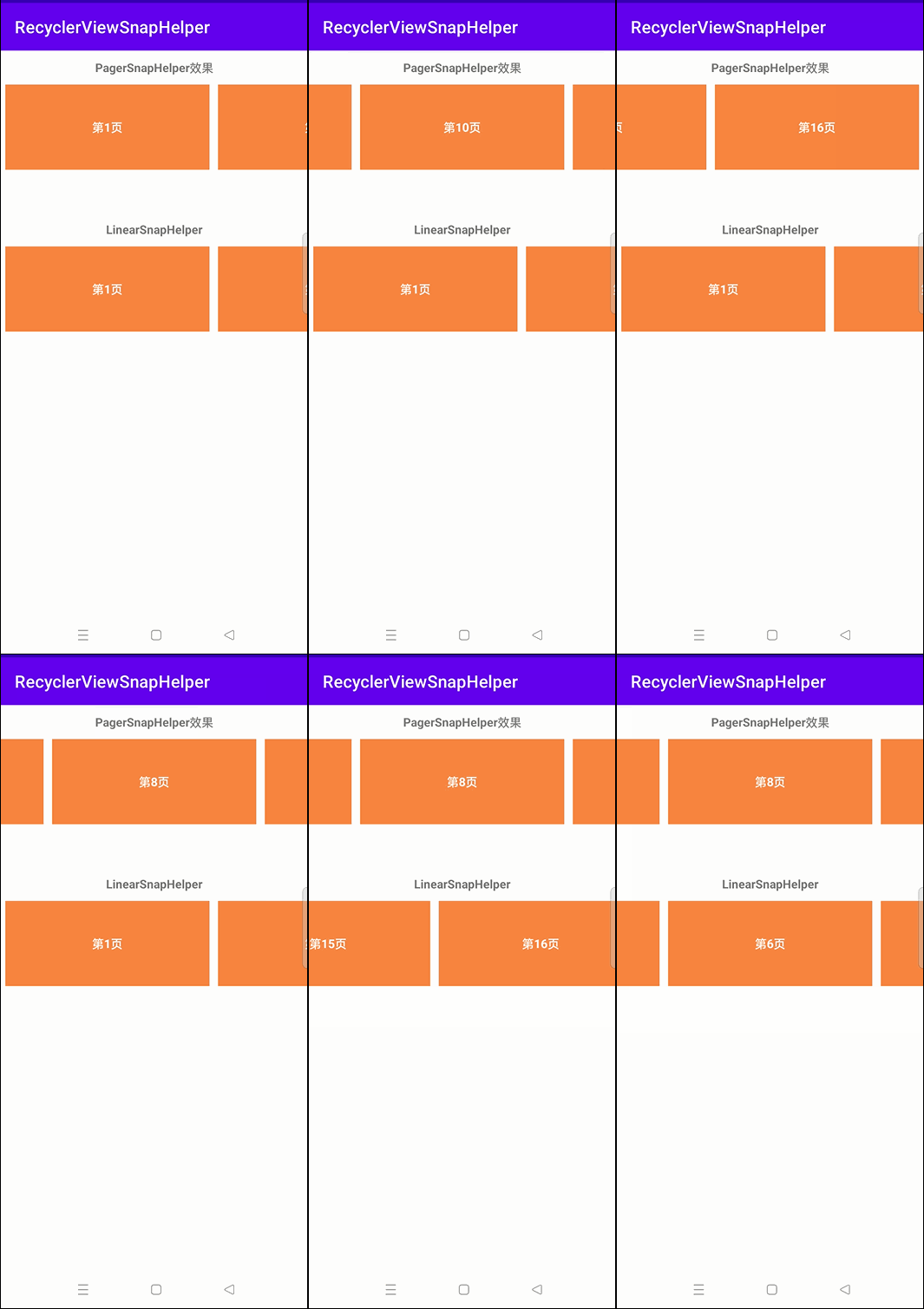
Tip:核心方法仅有俩行,如急于开发,亦可直接使用或直接看实践检验,等有时间再来一同了解
创建对应的 SnapHelper 后通过 attachToRecyclerView 关联 RecyclerView 即可
- PagerSnapHelper
   val pagerSnapHelper = PagerSnapHelper()
   pagerSnapHelper.attachToRecyclerView(mRvPager)
- LinearSnapHelper
   val lineaSnapHelper = LinearSnapHelper()
   lineaSnapHelper.attachToRecyclerView(mRvLinear)
基础了解
SnapHelper自身为抽象类,同时继承了RecyclerView.OnFlingListener,内部实现了一些通用基类方法,you俩个实现子类,通过重写其中部分方法,从而达到对应的需求效果
PagerSnapHelper:类似ViewPager滑动效果,仅支持单条滑动!在ViewPager控件中也可以看到PagerSnapHelper的身影LinearSnapHelp:水平快速滑动列表,体验丝滑,当滑动停止后,ItemView自动居中
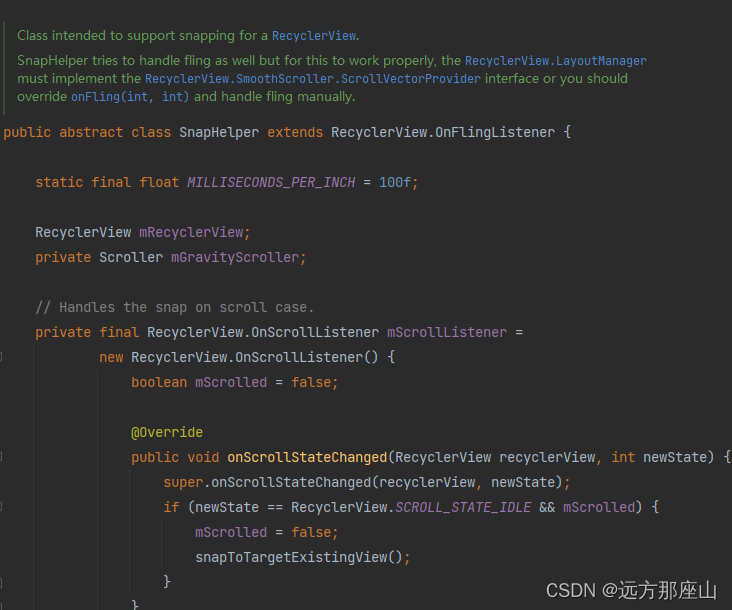
OnFlingListener 仅拥有一个抽象方法

因为我只是通过源码方法命名 + 参考方法注释 简单理解,可能并不是很详细,有兴趣的可以前往早期一位前辈写的 让你明明白白的使用RecyclerView——SnapHelper详解
通过查看 SnapHelper 内部方法,简单分析一下方法作用范围(仅做部分解释,并不完全)
- 支持
绑定RecyclerView calculateDistanceToFinalSnap测量移动距离findSnapView支持定位移动的ViewfindTargetSnapPosition支持定位移动后的数据(视图)角标FlingListener、ScrollListener滑动监听&滑动速度监听
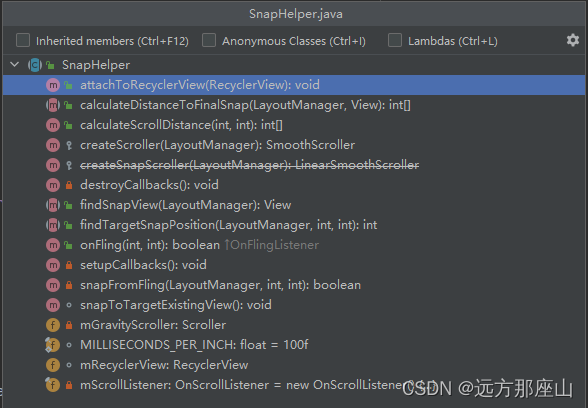
PagerSnapHelper、LinearSnapHelper 除基类方法外,支持获取居中View、布局方向等
PagerSnapHelper 源码方法
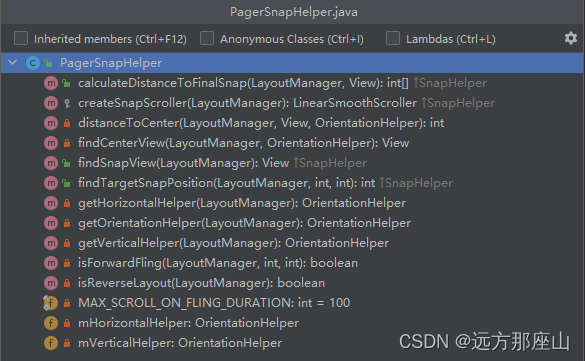
LinearSnapHelper 源码方法
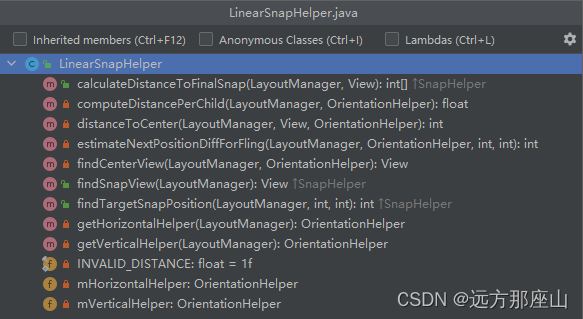
如果要自定义 SnapHelper 的话,需要重新以下三个抽象方法
package com.example.recyclerviewsnaphelper

import android.view.View
import androidx.recyclerview.widget.RecyclerView
import androidx.recyclerview.widget.SnapHelper

class OurHelper : SnapHelper() {
    //计算最终移动距离
    override fun calculateDistanceToFinalSnap(layoutManager: RecyclerView.LayoutManager, targetView: View): IntArray? {
        TODO("Not yet implemented")
    }

    //获取移动View
    override fun findSnapView(layoutManager: RecyclerView.LayoutManager?): View? {
        TODO("Not yet implemented")
    }

    //获取移动View的角标位置
    override fun findTargetSnapPosition(layoutManager: RecyclerView.LayoutManager?, velocityX: Int, velocityY: Int): Int {
        TODO("Not yet implemented")
    }
}
实践检验
RecyclerView 常规使用,仅加入了SnapHelper.attachToRecyclerView相关绑定
前置 ItemView
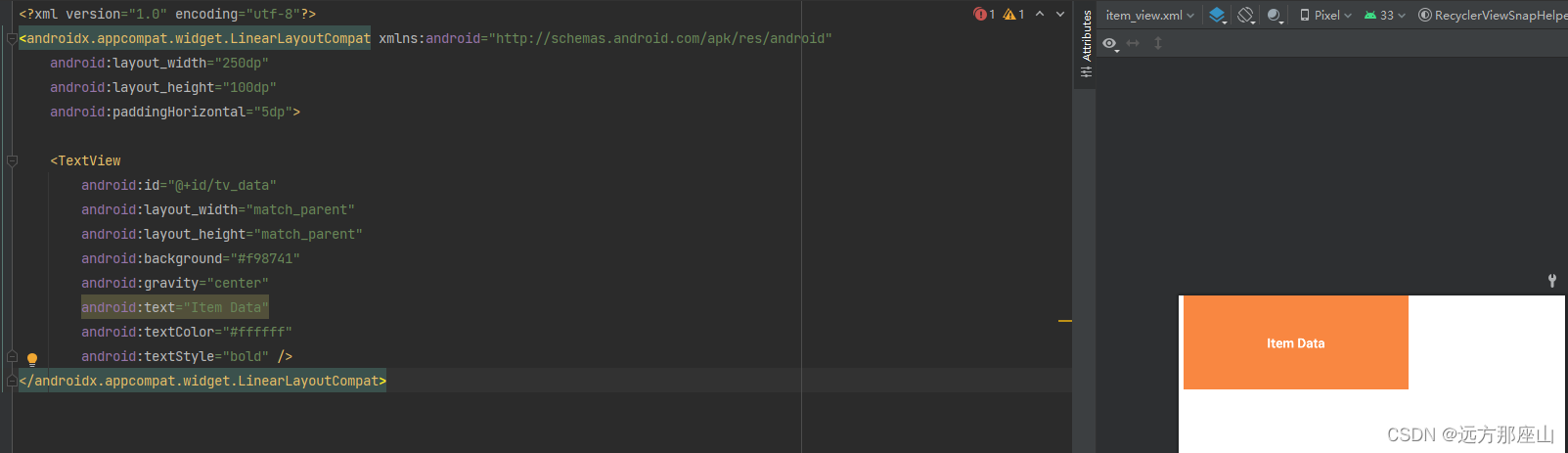
item_view
<?xml version="1.0" encoding="utf-8"?>
<androidx.appcompat.widget.LinearLayoutCompat xmlns:android="http://schemas.android.com/apk/res/android"
    android:layout_width="250dp"
    android:layout_height="100dp"
    android:paddingHorizontal="5dp">

    <TextView
        android:id="@+id/tv_data"
        android:layout_width="match_parent"
        android:layout_height="match_parent"
        android:background="#f98741"
        android:gravity="center"
        android:text="Item Data"
        android:textColor="#ffffff"
        android:textStyle="bold" />
</androidx.appcompat.widget.LinearLayoutCompat>
前置 Adapter
package com.example.recyclerviewsnaphelper

import android.view.LayoutInflater
import android.view.View
import android.view.ViewGroup
import android.widget.TextView
import androidx.recyclerview.widget.RecyclerView

class OurAdapter(private val dataList: MutableList<String>) : RecyclerView.Adapter<OurAdapter.OurViewHolder>() {

    override fun onCreateViewHolder(parent: ViewGroup, viewType: Int): OurViewHolder {
        return OurViewHolder(LayoutInflater.from(parent.context).inflate(R.layout.item_view, parent,false))
    }

    override fun getItemCount(): Int {
        return dataList.size
    }

    override fun onBindViewHolder(holder: OurViewHolder, position: Int) {
        holder.itemView.findViewById<TextView>(R.id.tv_data).text=dataList[position]
    }

    inner class OurViewHolder(itemView: View) : RecyclerView.ViewHolder(itemView)
}
使用方式
package com.example.recyclerviewsnaphelper

import android.os.Bundle
import androidx.appcompat.app.AppCompatActivity
import androidx.recyclerview.widget.LinearLayoutManager
import androidx.recyclerview.widget.LinearSnapHelper
import androidx.recyclerview.widget.PagerSnapHelper
import androidx.recyclerview.widget.RecyclerView
import androidx.recyclerview.widget.RecyclerView.HORIZONTAL

class MainActivity : AppCompatActivity() {
    var dataList = mutableListOf<String>()

    override fun onCreate(savedInstanceState: Bundle?) {
        super.onCreate(savedInstanceState)
        setContentView(R.layout.activity_main)
        //数据模拟
        for (i in 0..15) {
            dataList.add("第${i + 1}页")
        }
        //RecyclerView基础配置
        pagerRecyclerSetting()
        layoutRecyclerSetting()
    }

    /**
     * RecyclerView基础配置:PagerSnapHelper示例
     * */
    private fun pagerRecyclerSetting() {
        val mRvPager = findViewById<RecyclerView>(R.id.rv_pager)
        var layoutManager = LinearLayoutManager(this)
        layoutManager.orientation = HORIZONTAL
        mRvPager.layoutManager = layoutManager
        val ourPagerAdapter = OurAdapter(dataList)
        mRvPager.adapter = ourPagerAdapter
        //添加SnapHelper相关辅助类
        val pagerSnapHelper = PagerSnapHelper()
        pagerSnapHelper.attachToRecyclerView(mRvPager)
    }

    /**
     * RecyclerView基础配置:LinearSnapHelper示例
     * */
    private fun layoutRecyclerSetting() {
        val mRvLinear = findViewById<RecyclerView>(R.id.rv_linear)
        var layoutManager = LinearLayoutManager(this)
        layoutManager.orientation = HORIZONTAL
        mRvLinear.layoutManager = layoutManager
        val ourLayoutAdapter = OurAdapter(dataList)
        mRvLinear.adapter = ourLayoutAdapter

        //添加SnapHelper相关辅助类
        val lineaSnapHelper = LinearSnapHelper()
        lineaSnapHelper.attachToRecyclerView(mRvLinear)
    }
}
activity_main
- 预览图
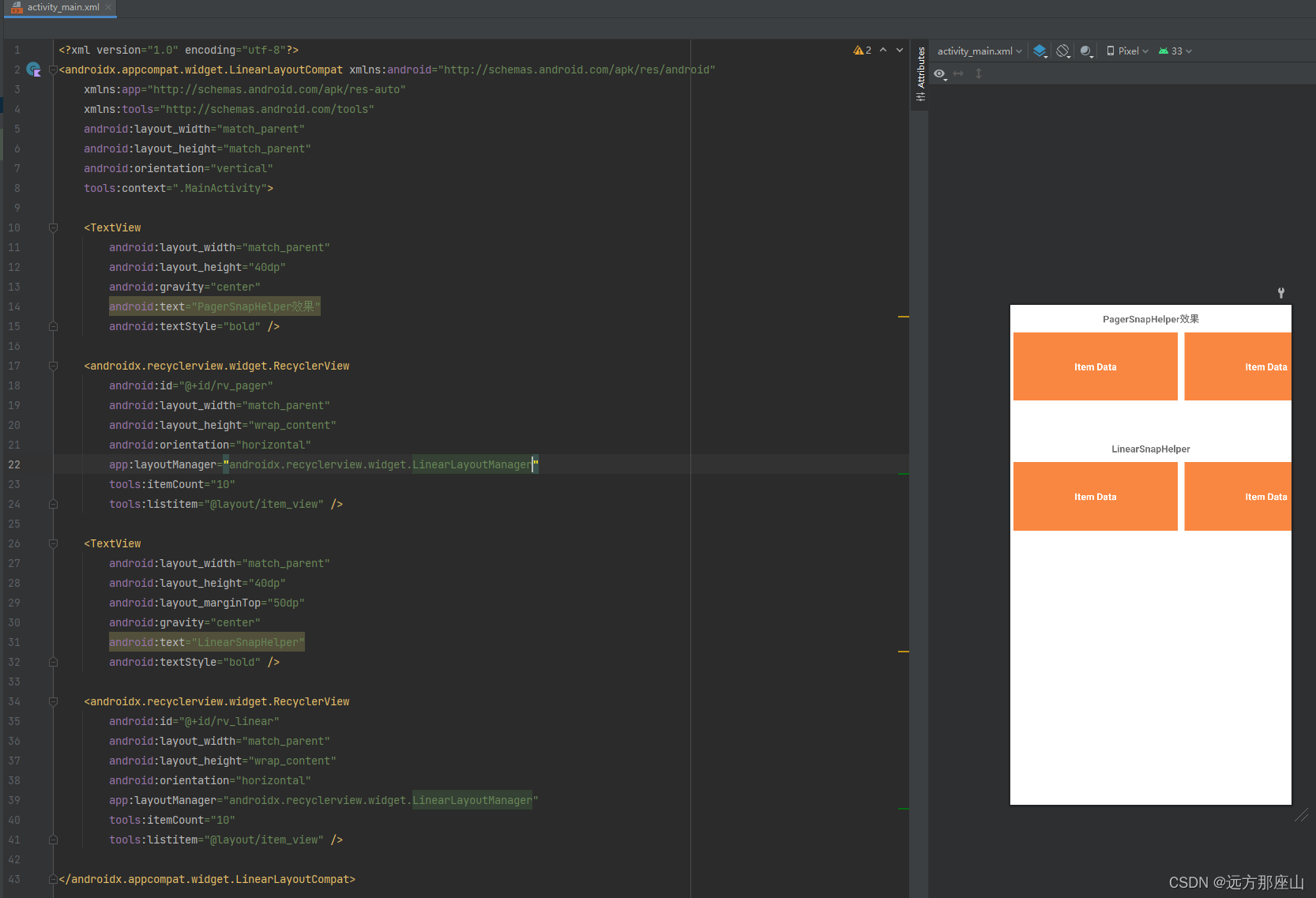
layout布局
<?xml version="1.0" encoding="utf-8"?>
<androidx.appcompat.widget.LinearLayoutCompat xmlns:android="http://schemas.android.com/apk/res/android"
    xmlns:app="http://schemas.android.com/apk/res-auto"
    xmlns:tools="http://schemas.android.com/tools"
    android:layout_width="match_parent"
    android:layout_height="match_parent"
    android:orientation="vertical"
    tools:context=".MainActivity">

    <TextView
        android:layout_width="match_parent"
        android:layout_height="40dp"
        android:gravity="center"
        android:text="PagerSnapHelper效果"
        android:textStyle="bold" />

    <androidx.recyclerview.widget.RecyclerView
        android:id="@+id/rv_pager"
        android:layout_width="match_parent"
        android:layout_height="wrap_content"
        android:orientation="horizontal"
        app:layoutManager="androidx.recyclerview.widget.LinearLayoutManager"
        tools:itemCount="10"
        tools:listitem="@layout/item_view" />

    <TextView
        android:layout_width="match_parent"
        android:layout_height="40dp"
        android:layout_marginTop="50dp"
        android:gravity="center"
        android:text="LinearSnapHelper"
        android:textStyle="bold" />

    <androidx.recyclerview.widget.RecyclerView
        android:id="@+id/rv_linear"
        android:layout_width="match_parent"
        android:layout_height="wrap_content"
        android:orientation="horizontal"
        app:layoutManager="androidx.recyclerview.widget.LinearLayoutManager"
        tools:itemCount="10"
        tools:listitem="@layout/item_view" />

</androidx.appcompat.widget.LinearLayoutCompat>