JDBC和连接池
大纲
- JDBC
- 连接数据库的方式
- JDBCUtils
- 事务
具体案例
JDBC
需求:满足Java程序能对多个不同的数据库进行操作,而创建了一种接口,实现对数据库的规范


连接数据库的方式
1.方法1
先创建一个Driver对象,然后设置连接到的数据库的地址,然后创建一个properties对象,在里面设定好账户密码,然后通过driver的connect方法,创建出connect连接
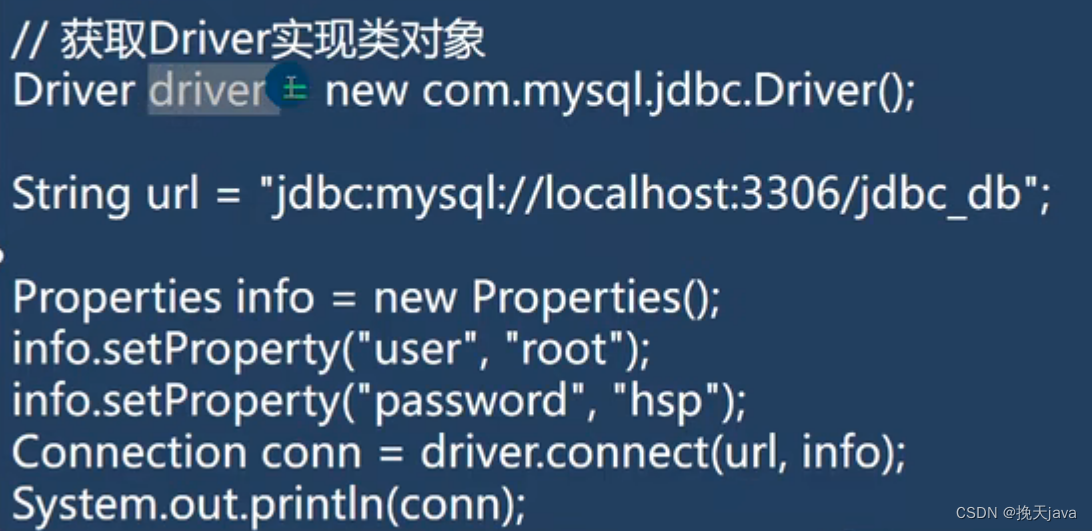
public class jdbc01 {
    public static void main(String[] args) throws SQLException {
        // 前置工作,在项目下创建文件夹,然后将jar文件拷贝到该目录下,
        // 然后将其加入到项目中
        // 1.注册驱动
        Driver driver = new Driver();

        // 2.得到连接
        // (1)jdbc:mysql://表示表示规定好的协议
        // (2)localhost 应该是ip地址(这里是主机的ip地址)
        // (3)3306表示MySQL监听的端口
        // (4)test db 是指连接到MySQL的哪个数据库
        // (5)本质上是进行socket连接
        String url = "jdbc:mysql://localhost:3306/test01";

        // 将用户名和密码封装到一个Properties对象中
        Properties properties = new Properties();
        // user和password是规定好的,后面的值根据实际情况
        properties.setProperty("user","root");
        properties.setProperty("password"," ");

        Connection connect = driver.connect(url, properties);

        // 3.执行sql语句
        String sql = "insert into actor values(null,'刘德华','男','1970-11-11','110')";
        // Statement 用于执行静态sql语句并返回生成的结果的对象
        Statement statement = connect.createStatement();
        int rows = statement.executeUpdate(sql);// 如果是dml语句,返回的就是影响到的行数
        System.out.println(rows > 0? "成功":"失败");
        //4.关闭连接
        statement.close();
        connect.close();
    }
}
缺点:driver是第三方的,依赖性强,灵活性差
2.使用反射机制
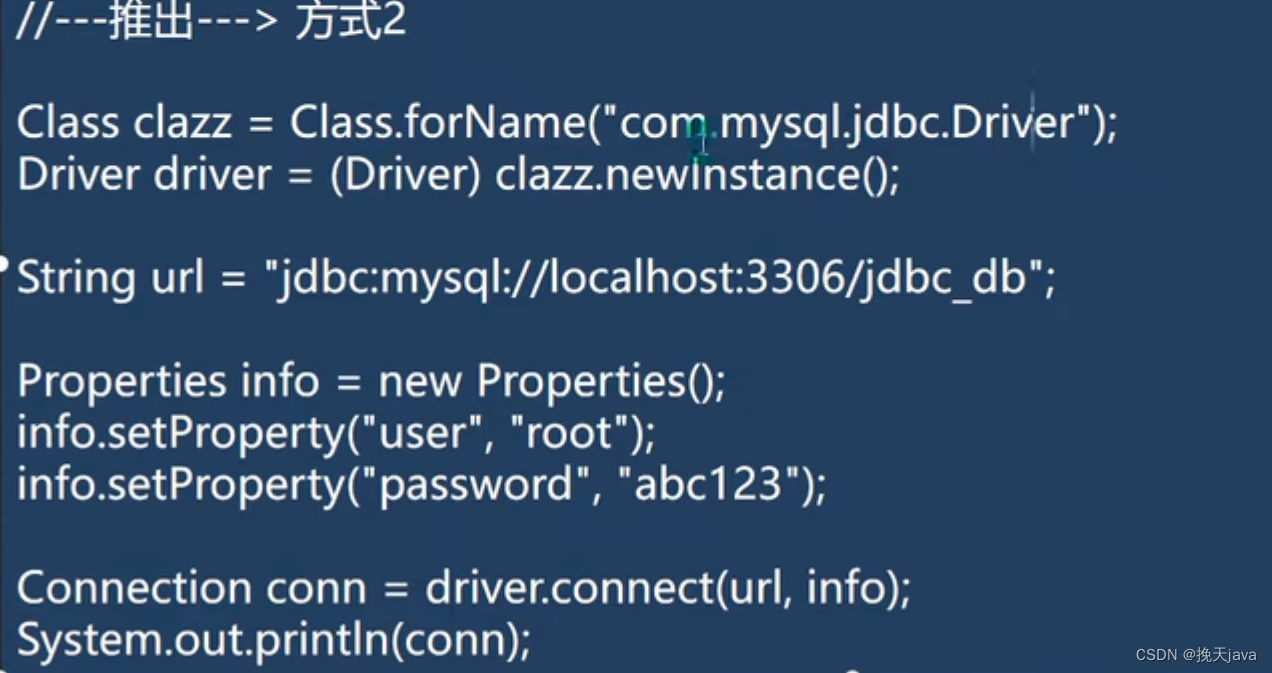
public class jdbc02 {
    public static void main(String[] args) throws ClassNotFoundException, InstantiationException, IllegalAccessException, SQLException {
        Class<?> aClass = Class.forName("com.mysql.jdbc.Driver");
        Driver driver = (Driver) aClass.newInstance();
        String url = "jdbc:mysql://localhost:3306/test01";
        Properties properties = new Properties();
        properties.setProperty("user","root");
        properties.setProperty("password","");

        Connection connect = driver.connect(url, properties);
        System.out.println(connect);
    }
}
3.使用DriverManager替换Driver
这种方法具有更好的拓展性
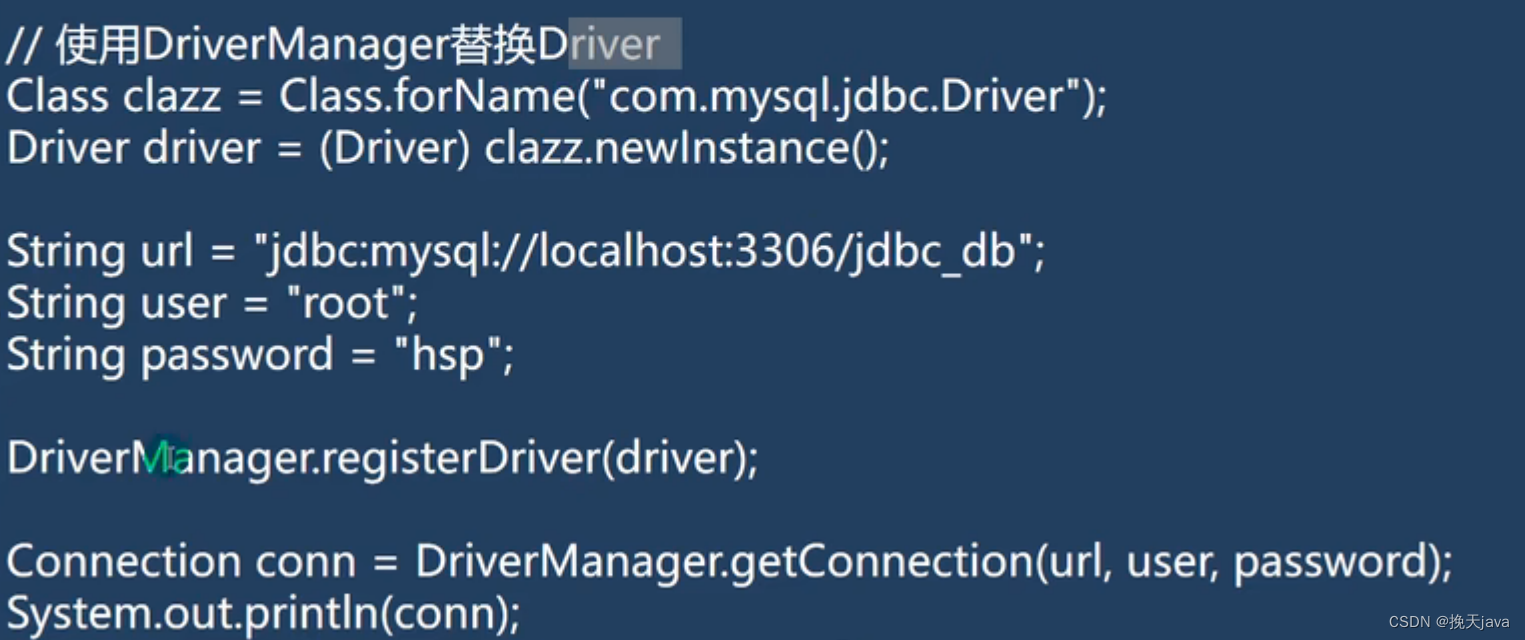
public class jdbc03 {
    public static void main(String[] args) throws ClassNotFoundException, InstantiationException, IllegalAccessException, SQLException {
        Class<?> aClass = Class.forName("com.mysql.jdbc.Driver");
        Driver driver = (Driver) aClass.newInstance();
        String url = "jdbc:mysql://localhost:3306/test01";
        String user = "root";
        String password = "";
        // 也可以还是使用properties来存储账户和密码,最后在DriverManager的getConnection方法里传入url和properties;
        DriverManager.registerDriver(driver);
        Connection connection = DriverManager.getConnection(url, user, password);
        System.out.println(connection);
    }
}
4.自动注册,简化操作(推荐使用)
在反射时,完成了类的加载,在静态代码块里实现了自动注册


public class jdbc04 {
    public static void main(String[] args) throws ClassNotFoundException, SQLException {
        Class.forName("com.mysql.jdbc.Driver");// 可以不写
        String url = "jdbc:mysql://localhost:3306/test01";
        String user = "root";
        String password = "lei2483034010";
        Connection connection = DriverManager.getConnection(url, user, password);
        System.out.println(connection);
    }
}
5.使用配置文件(最推荐)
在4方法的基础上,使用配置文件来存储账户和密码,更加的灵活

public class jdbc05 {
    public static void main(String[] args) throws IOException, ClassNotFoundException, SQLException {
        Properties properties = new Properties();
        properties.load(new FileInputStream("src\\mysql.properties"));
        String user = properties.getProperty("user");
        String password = properties.getProperty("password");
        String driver = properties.getProperty("driver");
        String url = properties.getProperty("url");

        Class.forName("com.mysql.jdbc.Driver");
        Connection connection = DriverManager.getConnection(url, user, password);
        System.out.println(connection);
    }
}
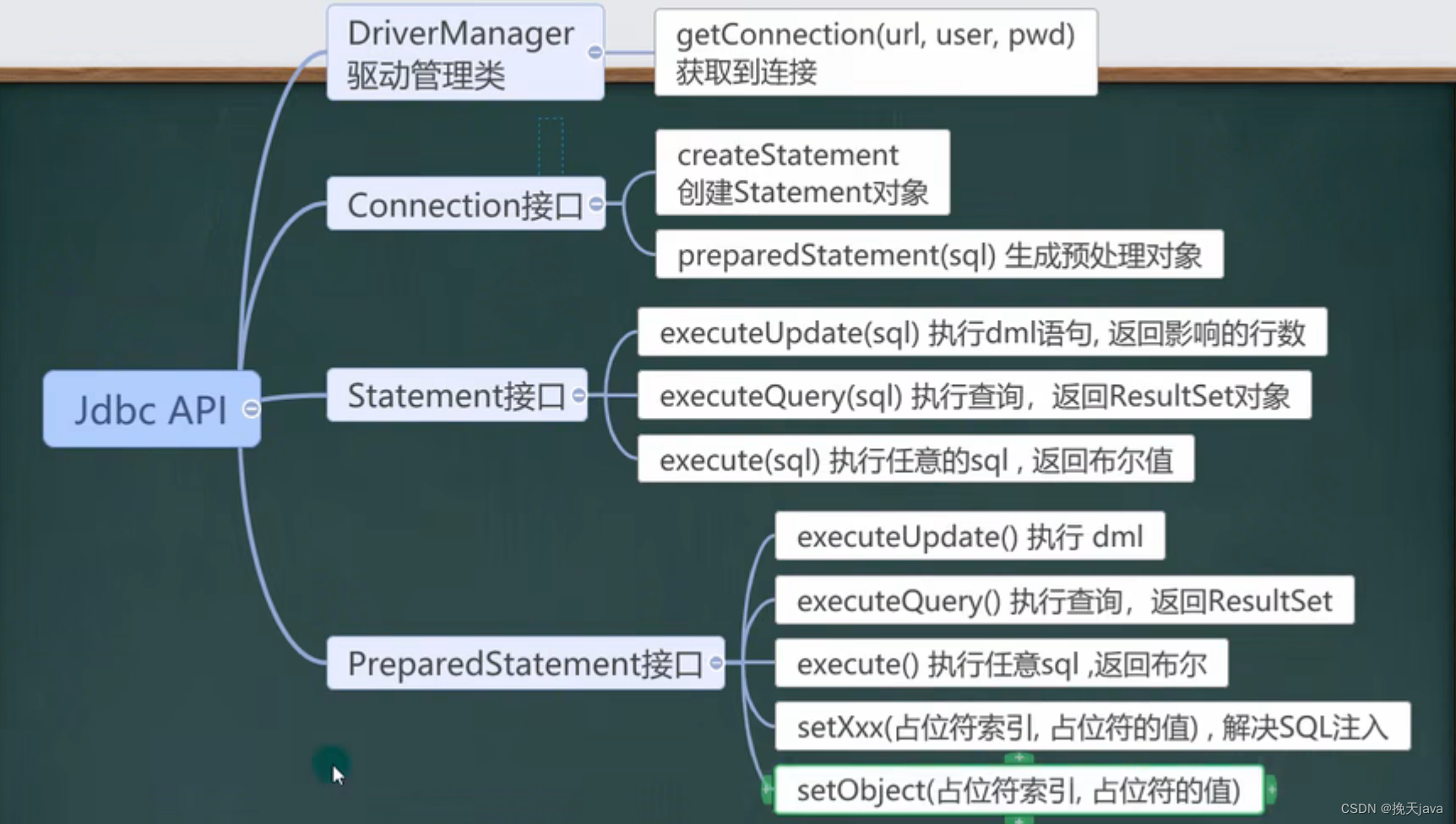
执行sql语句
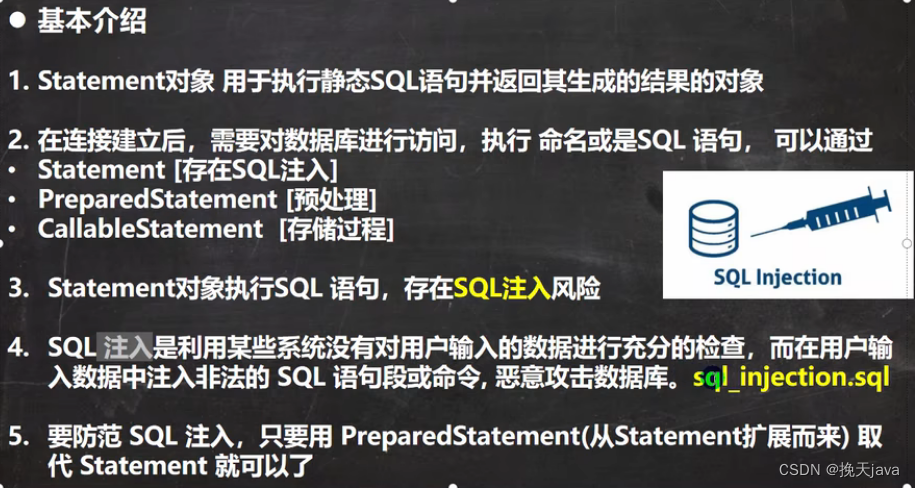
实际开发中,基本不使用statement,因为它不能预防sql注入
所以使用preparedStarement来防止sql的注入
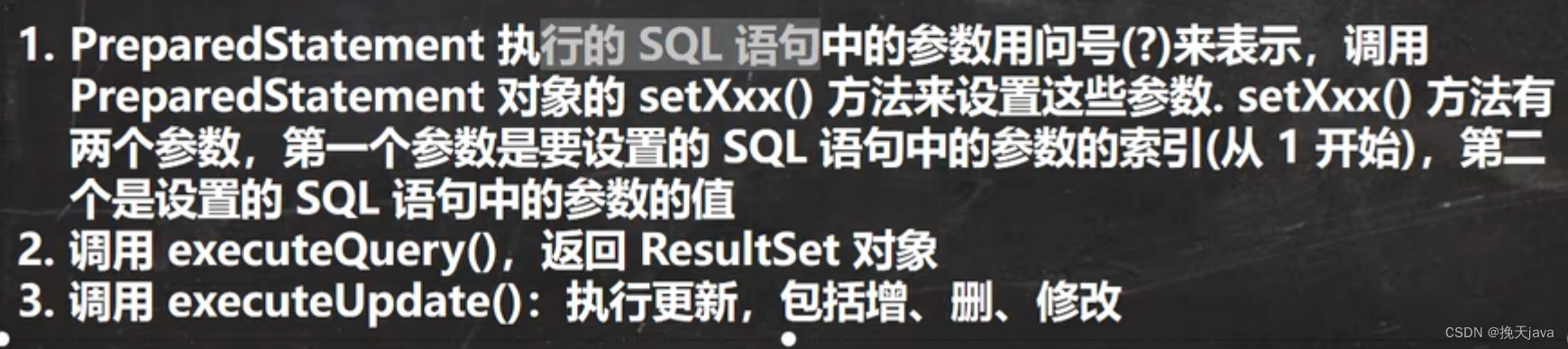
使用这个类的好处

public class PreparedStatement {
    public static void main(String[] args) throws IOException, ClassNotFoundException, SQLException {
        Scanner myScanner = new Scanner(System.in);
        System.out.println("请输入账号");
        String account = myScanner.nextLine();
        System.out.println("请输入密码");
        String pwd = myScanner.nextLine();
        Properties properties = new Properties();
        properties.load(new FileInputStream("src\\mysql.properties"));
        String user = properties.getProperty("user");
        String password = properties.getProperty("password");
        String driver = properties.getProperty("driver");
        String url = properties.getProperty("url");

        Class.forName("com.mysql.jdbc.Driver");
        Connection connection = DriverManager.getConnection(url, user, password);
        String sqlSelect = " select name,pwd from admin where name =? and pwd =?";
        java.sql.PreparedStatement preparedStatement = connection.prepareStatement(sqlSelect);
        // 赋值
        preparedStatement.setString(1,account);
        preparedStatement.setString(2,pwd);
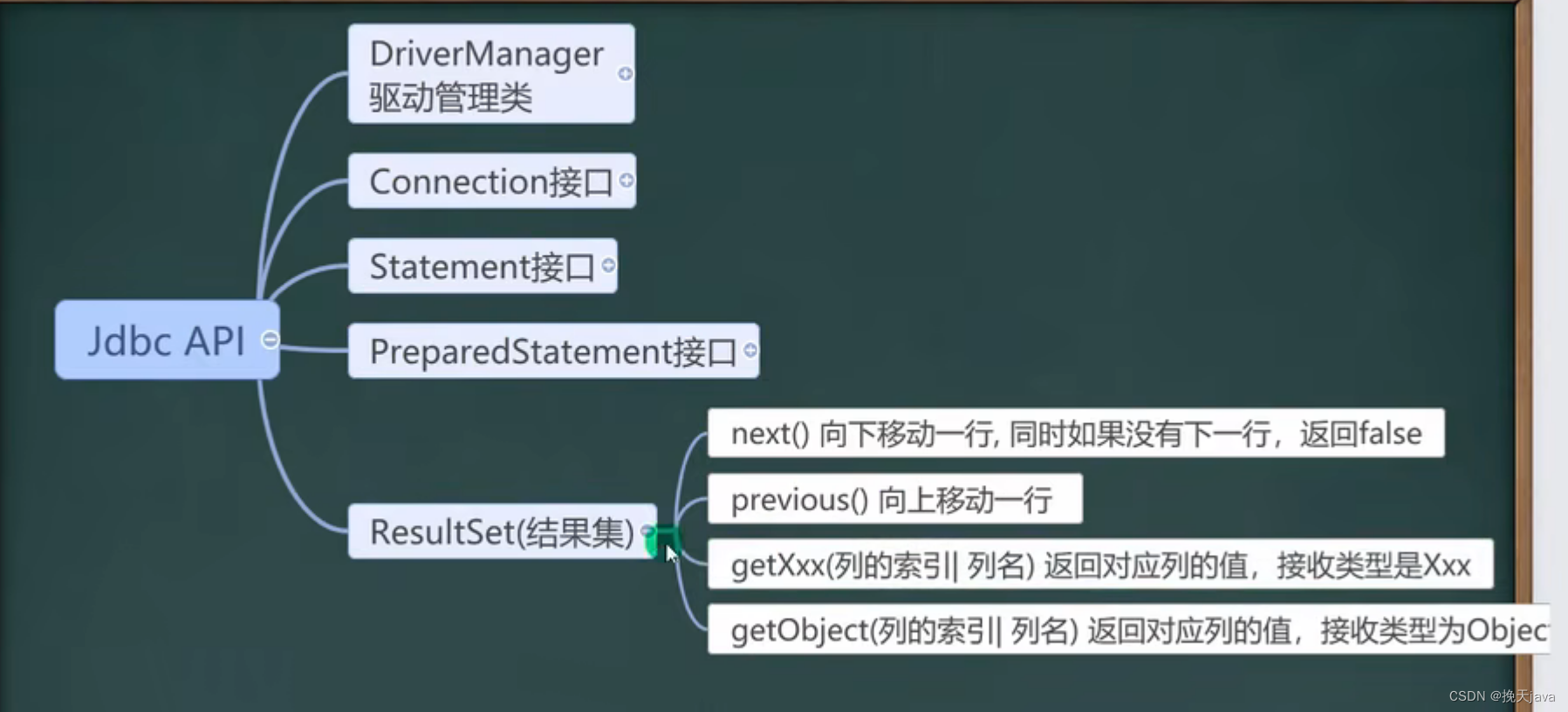
        ResultSet resultSet = preparedStatement.executeQuery();
        // 得到一个查询到resultSet集
        if (resultSet.next()){
            System.out.println("恭喜,登录成功");
        }else {
            System.out.println("对不起,登录失败");
        }
        resultSet.close();
        preparedStatement.close();
        connection.close();
    }
}
JDBCUtils
把JDBC的连接数据库操作,和关闭资源,封装到一个工具类中
public class JDBCUtils {
    //定义相关的属性(4个), 因为只需要一份,因此,我们做出static
    private static String user; //用户名
    private static String password; //密码
    private static String url; //url
    private static String driver; //驱动名

    //在static代码块去初始化
    static {

        try {
            Properties properties = new Properties();
            properties.load(new FileInputStream("src\\mysql.properties"));
            //读取相关的属性值
            user = properties.getProperty("user");
            password = properties.getProperty("password");
            url = properties.getProperty("url");
            driver = properties.getProperty("driver");
        } catch (IOException e) {
            //在实际开发中,我们可以这样处理
            //1. 将编译异常转成 运行异常
            //2. 调用者,可以选择捕获该异常,也可以选择默认处理该异常,比较方便.
            throw new RuntimeException(e);

        }
    }

    //连接数据库, 返回Connection
    public static Connection getConnection() {

        try {
            return DriverManager.getConnection(url, user, password);
        } catch (SQLException e) {
            //1. 将编译异常转成 运行异常
            //2. 调用者,可以选择捕获该异常,也可以选择默认处理该异常,比较方便.
            throw new RuntimeException(e);
        }
    }

    //关闭相关资源
    /*
        1. ResultSet 结果集
        2. Statement 或者 PreparedStatement
        3. Connection
        4. 如果需要关闭资源,就传入对象,否则传入 null
     */
    public static void close(ResultSet set, Statement statement, Connection connection) {

        //判断是否为null
        try {
            if (set != null) {
                set.close();
            }
            if (statement != null) {
                statement.close();
            }
            if (connection != null) {
                connection.close();
            }
        } catch (SQLException e) {
            //将编译异常转成运行异常抛出
            throw new RuntimeException(e);
        }

    }

}
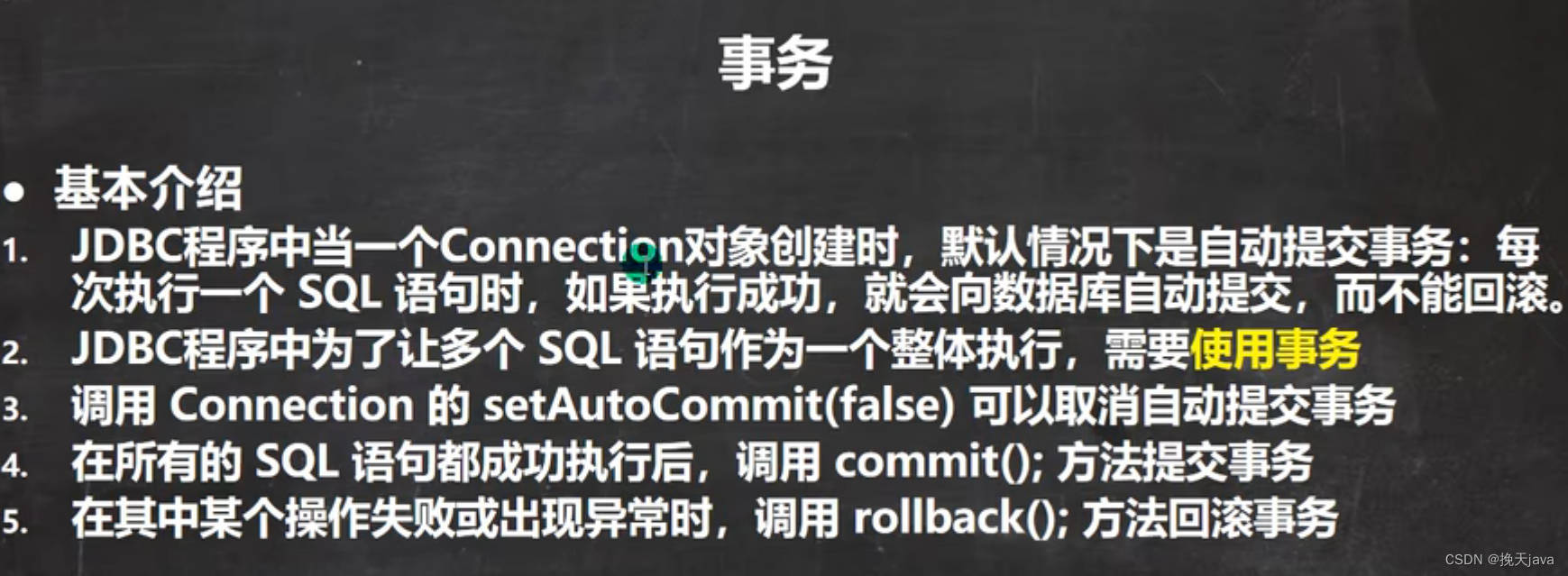
事务(Java中使用)
public class Transaction_ {

    //没有使用事务.
    @Test
    public void noTransaction() {

        //操作转账的业务
        //1. 得到连接
        Connection connection = null;
        //2. 组织一个sql
        String sql = "update account set balance = balance - 100 where id = 1";
        String sql2 = "update account set balance = balance + 100 where id = 2";
        PreparedStatement preparedStatement = null;
        //3. 创建PreparedStatement 对象
        try {
            connection = JDBCUtils.getConnection(); // 在默认情况下,connection是默认自动提交
            preparedStatement = connection.prepareStatement(sql);
            preparedStatement.executeUpdate(); // 执行第1条sql

            int i = 1 / 0; //抛出异常
            preparedStatement = connection.prepareStatement(sql2);
            preparedStatement.executeUpdate(); // 执行第3条sql


        } catch (SQLException e) {
            e.printStackTrace();
        } finally {
            //关闭资源
            JDBCUtils.close(null, preparedStatement, connection);
        }
    }

    //事务来解决
    @Test
    public void useTransaction() {

        //操作转账的业务
        //1. 得到连接
        Connection connection = null;
        //2. 组织一个sql
        String sql = "update account set balance = balance - 100 where id = 1";
        String sql2 = "update account set balance = balance + 100 where id = 2";
        PreparedStatement preparedStatement = null;
        //3. 创建PreparedStatement 对象
        try {
            connection = JDBCUtils.getConnection(); // 在默认情况下,connection是默认自动提交
            //将 connection 设置为不自动提交
            connection.setAutoCommit(false); //开启了事务
            preparedStatement = connection.prepareStatement(sql);
            preparedStatement.executeUpdate(); // 执行第1条sql

            int i = 1 / 0; //抛出异常
            preparedStatement = connection.prepareStatement(sql2);
            preparedStatement.executeUpdate(); // 执行第3条sql

            //这里提交事务
            connection.commit();

        } catch (SQLException e) {
            //这里我们可以进行回滚,即撤销执行的SQL
            //默认回滚到事务开始的状态.
            System.out.println("执行发生了异常,撤销执行的sql");
            try {
                connection.rollback();
            } catch (SQLException throwables) {
                throwables.printStackTrace();
            }
            e.printStackTrace();
        } finally {
            //关闭资源
            JDBCUtils.close(null, preparedStatement, connection);
        }
    }
}
本文含有隐藏内容,请 开通VIP 后查看