简介
Qwen-VL 是阿里云研发的大规模视觉语言模型(Large Vision Language Model, LVLM)。Qwen-VL 可以以图像、文本、检测框作为输入,并以文本和检测框作为输出。Qwen-VL 系列模型的特点包括:- 强大的性能:在四大类多模态任务的标准英文测评中(Zero-shot Caption/VQA/DocVQA/Grounding)上,均取得同等通用模型大小下最好效果;
- 多语言对话模型:天然支持多语言对话,端到端支持图片里中英双语的长文本识别;
- 多图交错对话:支持多图输入和比较,指定图片问答,多图文学创作等;
- 首个支持中文开放域定位的通用模型:通过中文开放域语言表达进行检测框标注;
- 细粒度识别和理解:相比于目前其它开源LVLM使用的224分辨率,Qwen-VL是首个开源的448分辨率的LVLM模型。更高分辨率可以提升细粒度的文字识别、文档问答和检测框标注。
示例代码
from modelscope import (
    snapshot_download, AutoModelForCausalLM, AutoTokenizer, GenerationConfig
)
import torch
model_id = 'qwen/Qwen-VL-Chat'
revision = 'v1.1.0'

model_dir = snapshot_download(model_id, revision=revision)
torch.manual_seed(1234)

# 请注意:分词器默认行为已更改为默认关闭特殊token攻击防护。
tokenizer = AutoTokenizer.from_pretrained(model_dir, trust_remote_code=True)
# 打开bf16精度,A100、H100、RTX3060、RTX3070等显卡建议启用以节省显存
# model = AutoModelForCausalLM.from_pretrained(model_dir, device_map="auto", trust_remote_code=True, bf16=True).eval()
# 打开fp16精度,V100、P100、T4等显卡建议启用以节省显存
model = AutoModelForCausalLM.from_pretrained(model_dir, device_map="auto", trust_remote_code=True, fp16=True).eval()
# 使用CPU进行推理,需要约32GB内存
# model = AutoModelForCausalLM.from_pretrained(model_dir, device_map="cpu", trust_remote_code=True).eval()
# 默认使用自动模式,根据设备自动选择精度
# model = AutoModelForCausalLM.from_pretrained(model_dir, device_map="auto", trust_remote_code=True).eval()

# 可指定不同的生成长度、top_p等相关超参
model.generation_config = GenerationConfig.from_pretrained(model_dir, trust_remote_code=True)

# 第一轮对话 1st dialogue turn
query = tokenizer.from_list_format([
    {'image': 'https://www.2008php.com/2012_Website_appreciate/2012-04-26/20120426144121.jpg'},
    {'text': '这是什么'},
])
response, history = model.chat(tokenizer, query=query, history=None)
print(response)

# 第二轮对话 2st dialogue turn
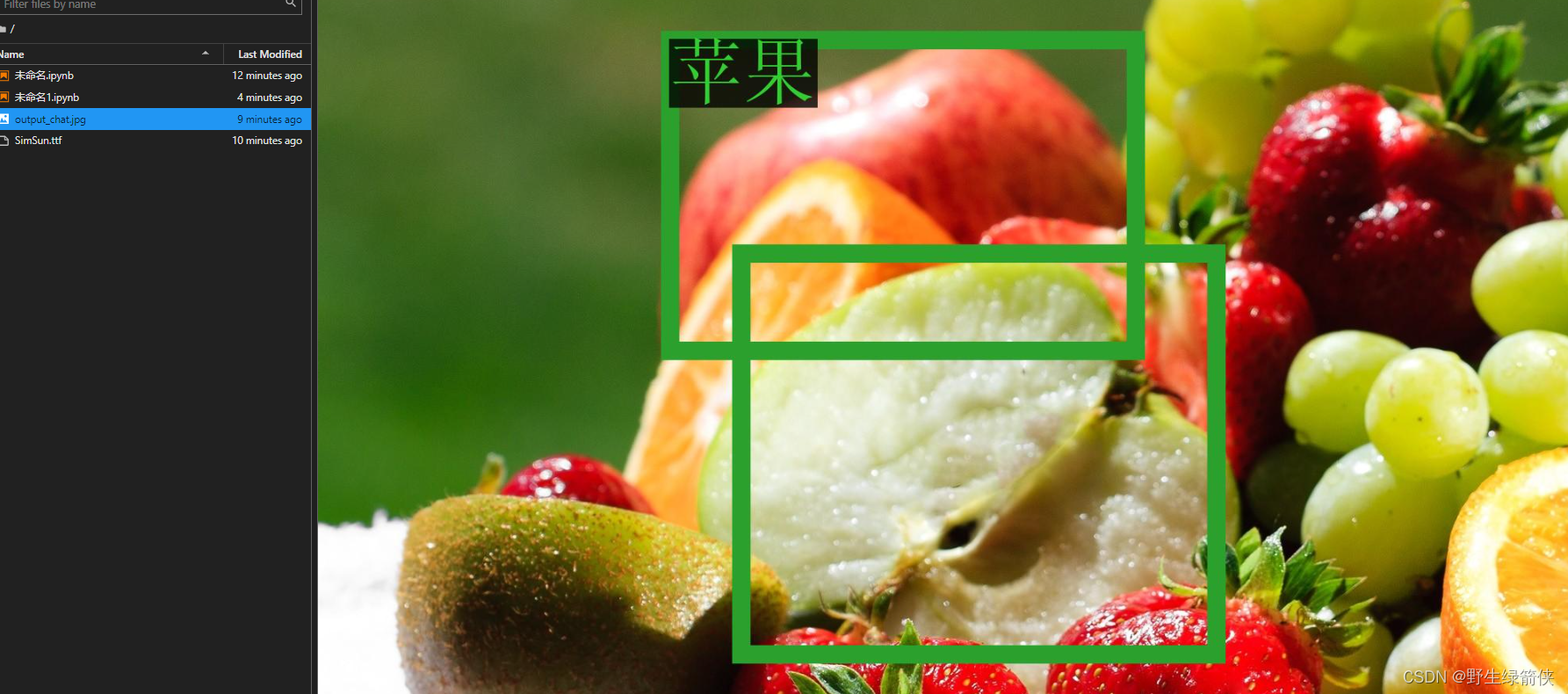
response, history = model.chat(tokenizer, '输出苹果的检测框', history=history)
print(response)
# <ref>"苹果检测"</ref><box>(211,412),(577,891)</box>
image = tokenizer.draw_bbox_on_latest_picture(response, history)
image.save('output_chat.jpg')
测试效果
- 这是什么

- 苹果检测
本文含有隐藏内容,请 开通VIP 后查看