IDEA阅读Java源码 SimpleDateFormat
文章目录
一、阅读的代码
package org.example.bcbd;

import java.text.SimpleDateFormat;
import java.util.Date;

public class Main {
    public static void main(String[] args) {
        System.out.println("Hello world!");
        SimpleDateFormat sdf = new SimpleDateFormat("yyyy-MM-dd HH:mm:ss");
        Date now = new Date();
        System.out.println(now);
        sdf.format(now);
    }
}
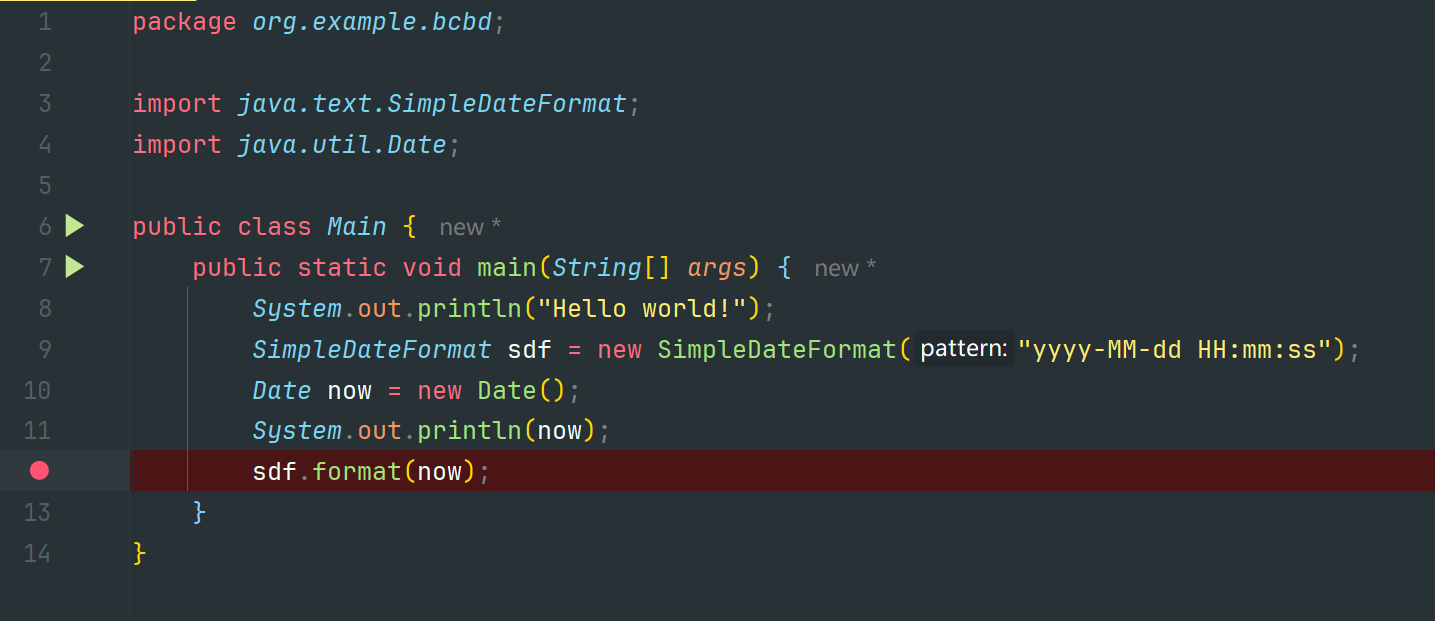
在这段代码中,我希望阅读 SimpleDateFormat 的 format 方法,来判断其是否是线程不安全的。
二、IDEA操作
2.1 标记断点
Tips:在阅读的方法前打好断点
2.2 启用Debug
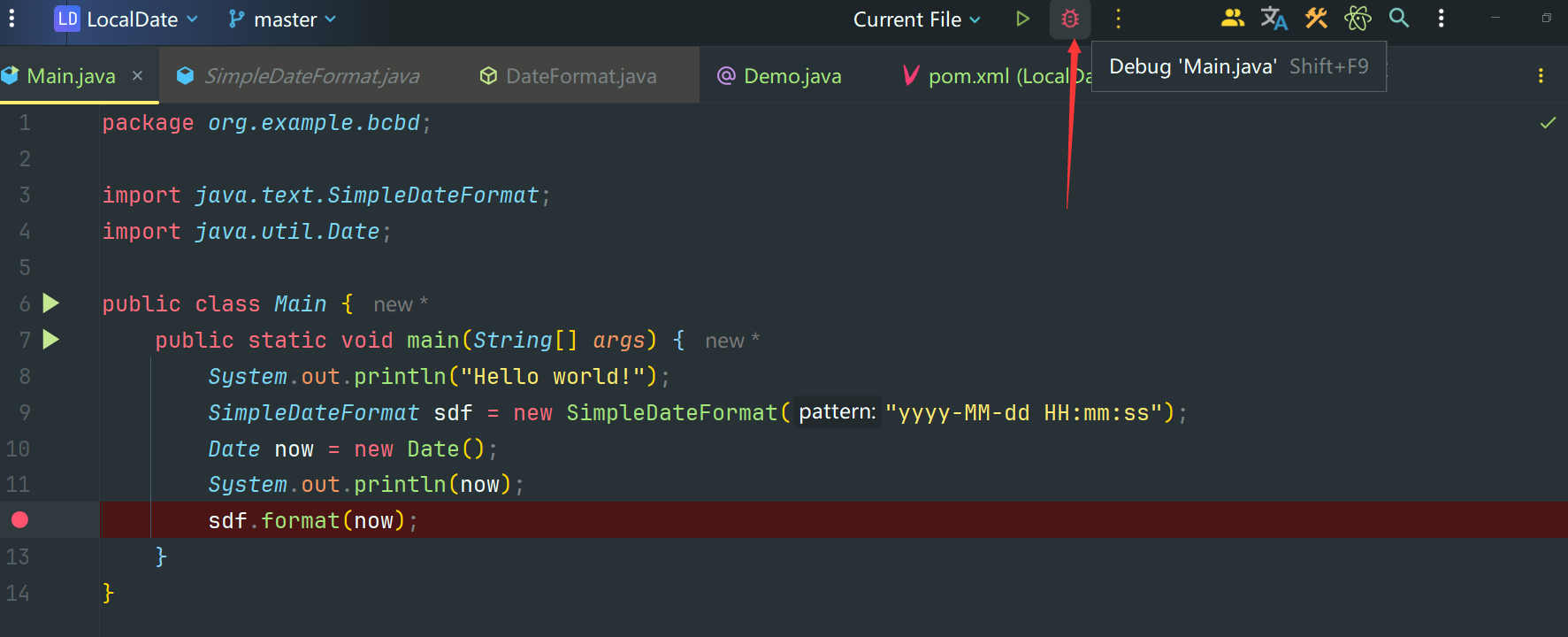
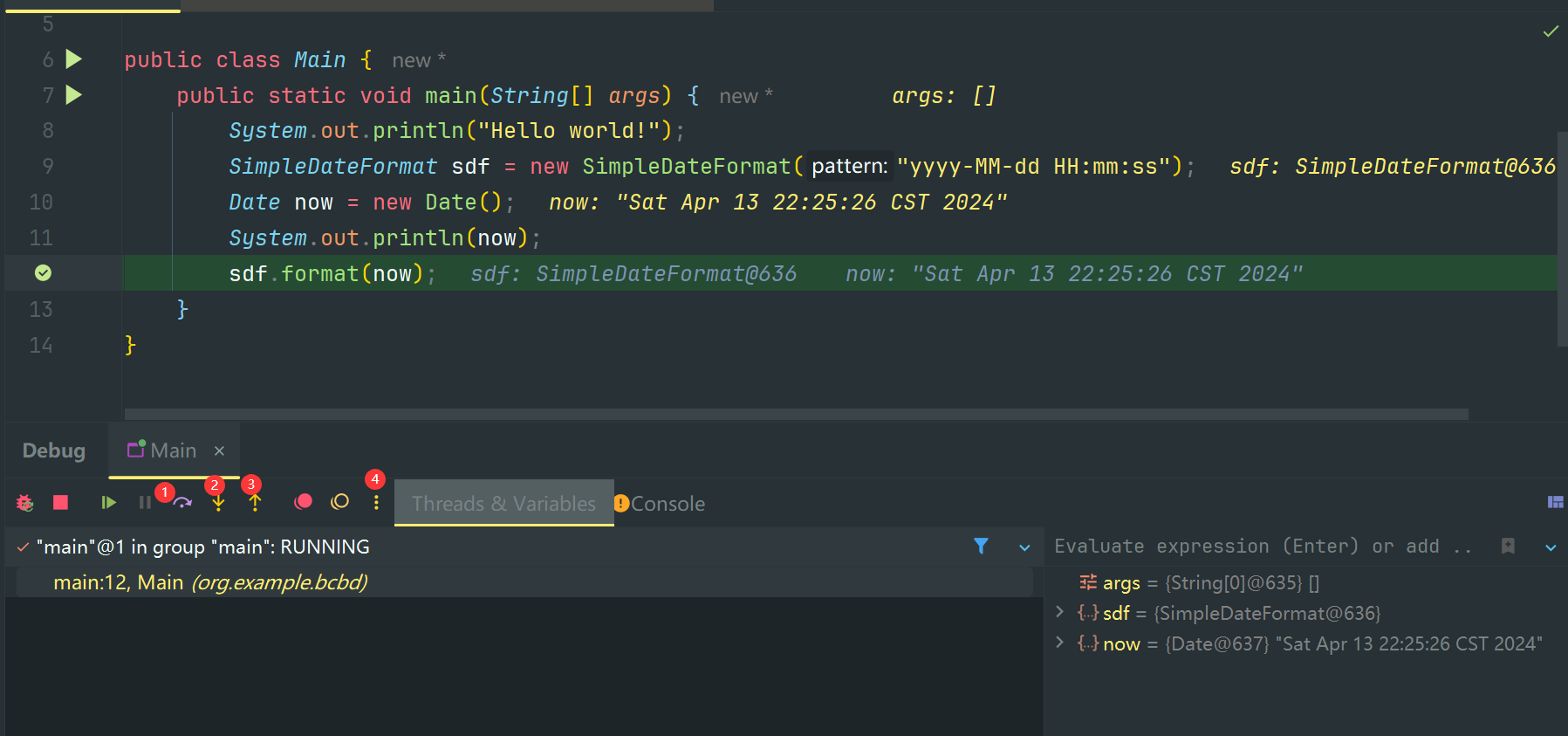
2.3 按键区分
Tips:在这里面的Debug按键是有不同功能的
- 1
Step Over会直接返回方法运行结束的结果- 2
Step Into会进入方法,但是仅限于 自定义方法 或 第三方库方法 不会进入JDK方法- 3
Step Out会跳出方法,一般和(Force) Step Into一起使用- 4
More会有更多操作
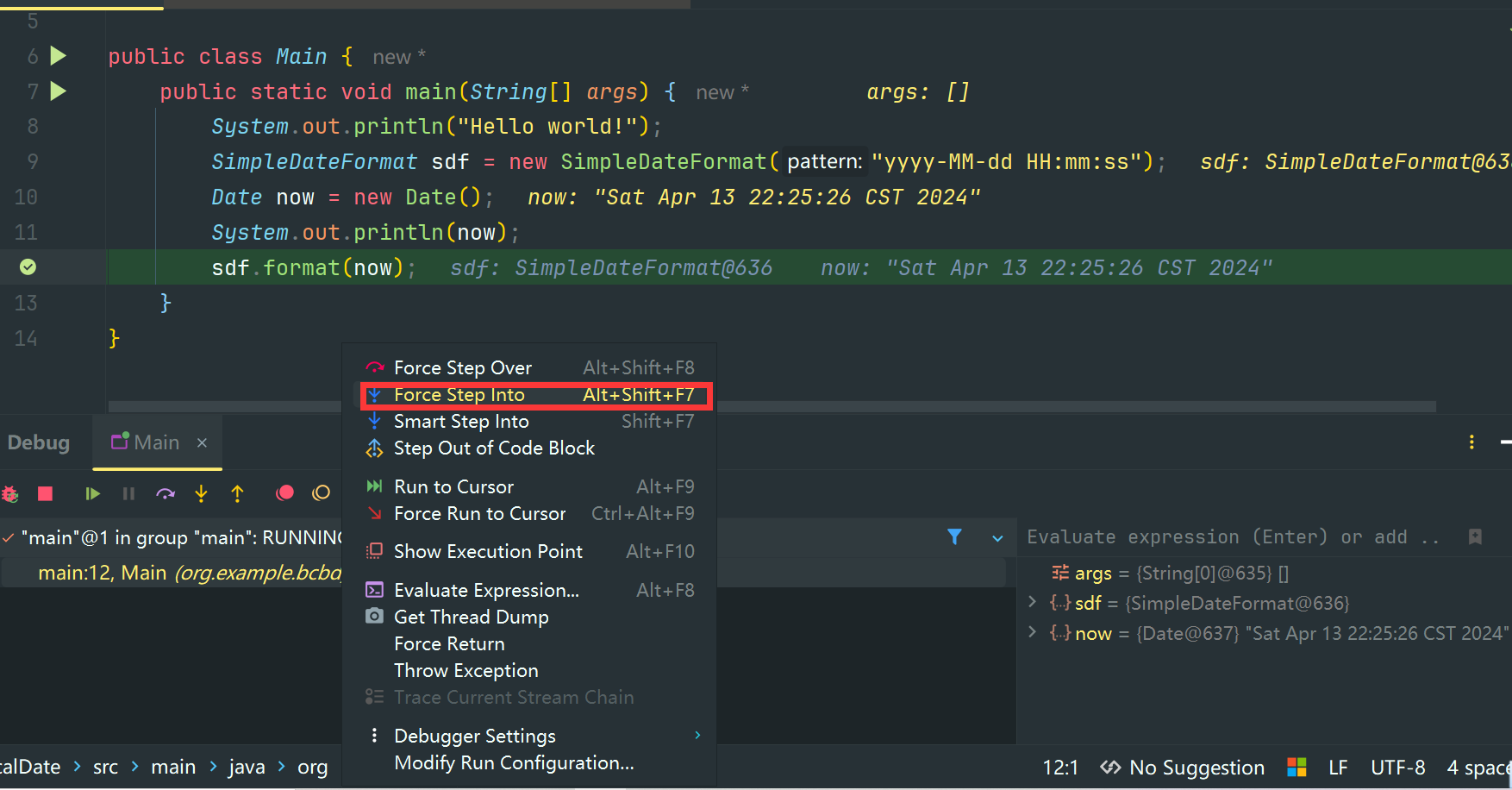
2.4 强制进入方法
Tips:因为这里面只有一个方法,所以我们可以选用Force Step Into强制进入阅读JDK方法
2.5 进入指定方法
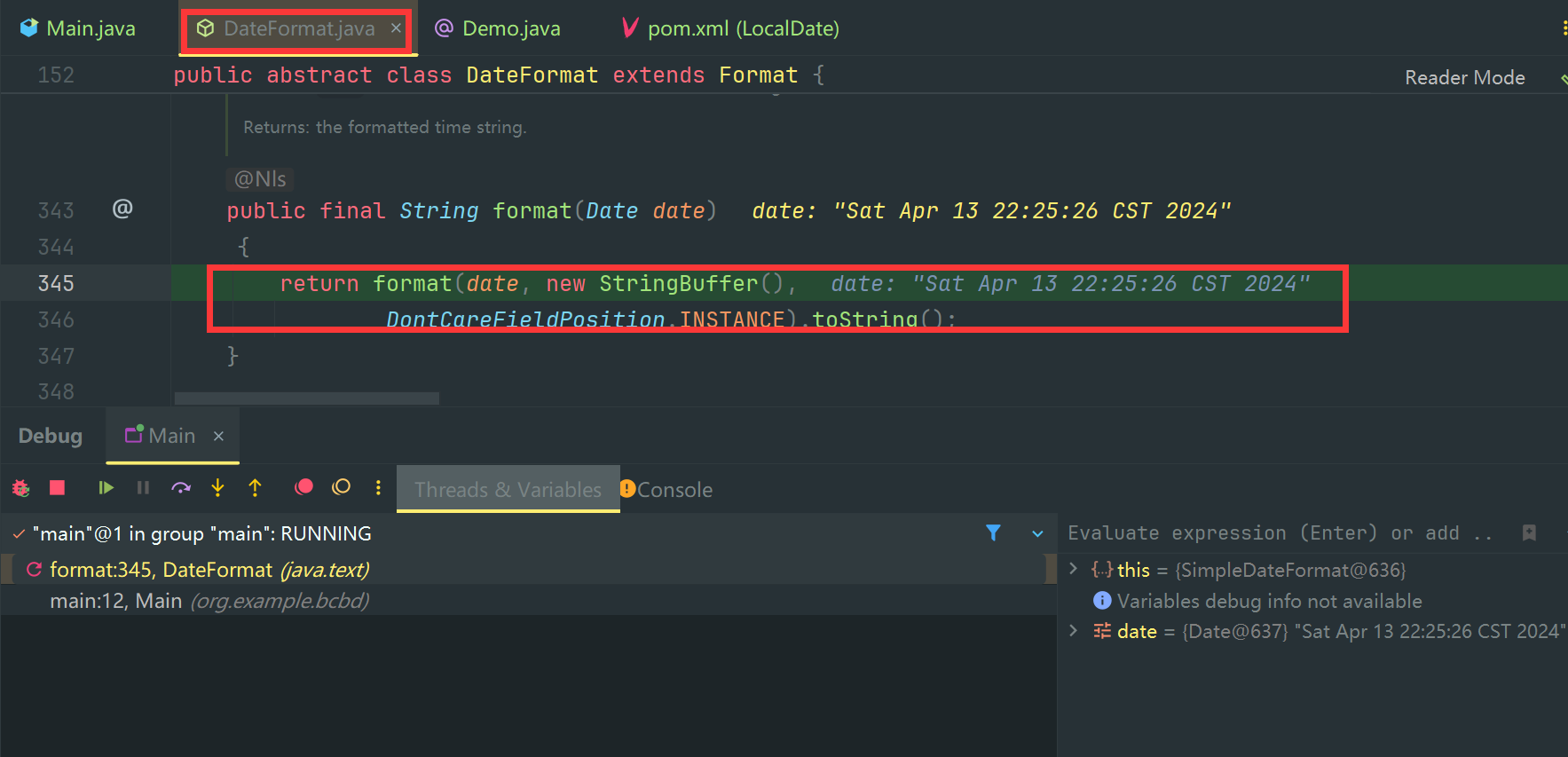
Tips:点击Force Step Into进入之后,发现几个问题
- 这是
DateFormat类 ,而不是SimpleDateFormat类,考虑应该是进入了其父类方法中- 这里面返回了另外一个同名的
format函数,但是签名不同- 在返回的
format方法中,我们可以看到有多个方法被调用如new StringBuffer(), DontCareFieldPosition.INSTANCE,``format(date, new StringBuffer(),DontCareFieldPosition.INSTANCE).toString()这几个方法
2.6 多方法进入指定方法
Tips:我不关心new StringBuffer()是如何实现,我也不关心DontCareFieldPosition.INSTANCE实现,我只关心format方法实现,但是如果我再次使用Force Step Into会直接进入StringBuffer的实现,而不是我想要进入的format实现。这个时候我们就可以使用
Smart Step Into
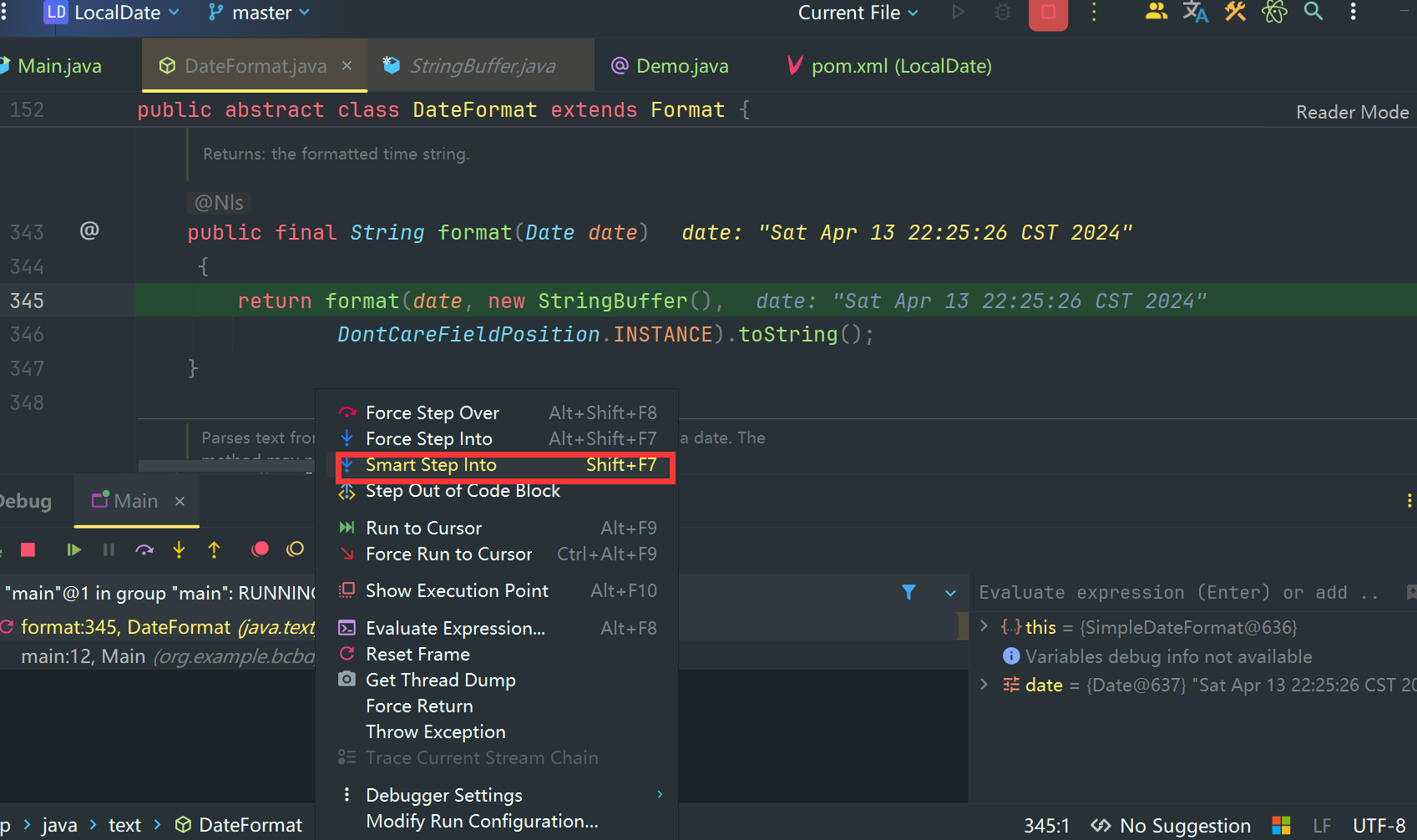
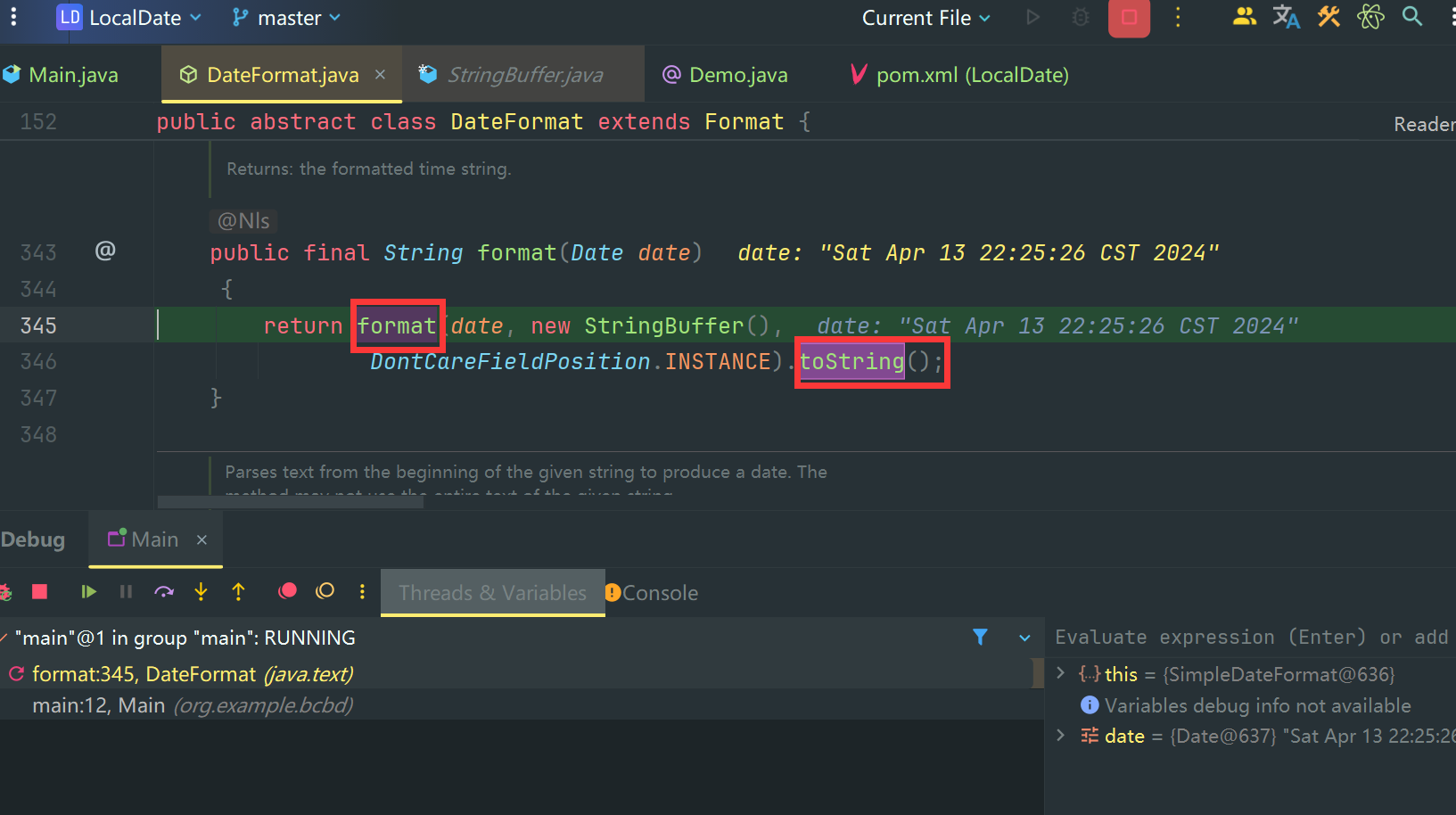
这是两个可进入的方法,我们鼠标点击 format 进入方法。
2.7 进入正确的方法
Tips:
- 类名正确了
SimpleDateFormat说明没找错类@Override注解说明重写了父类的format方法- 又返回了一个 新的
format方法
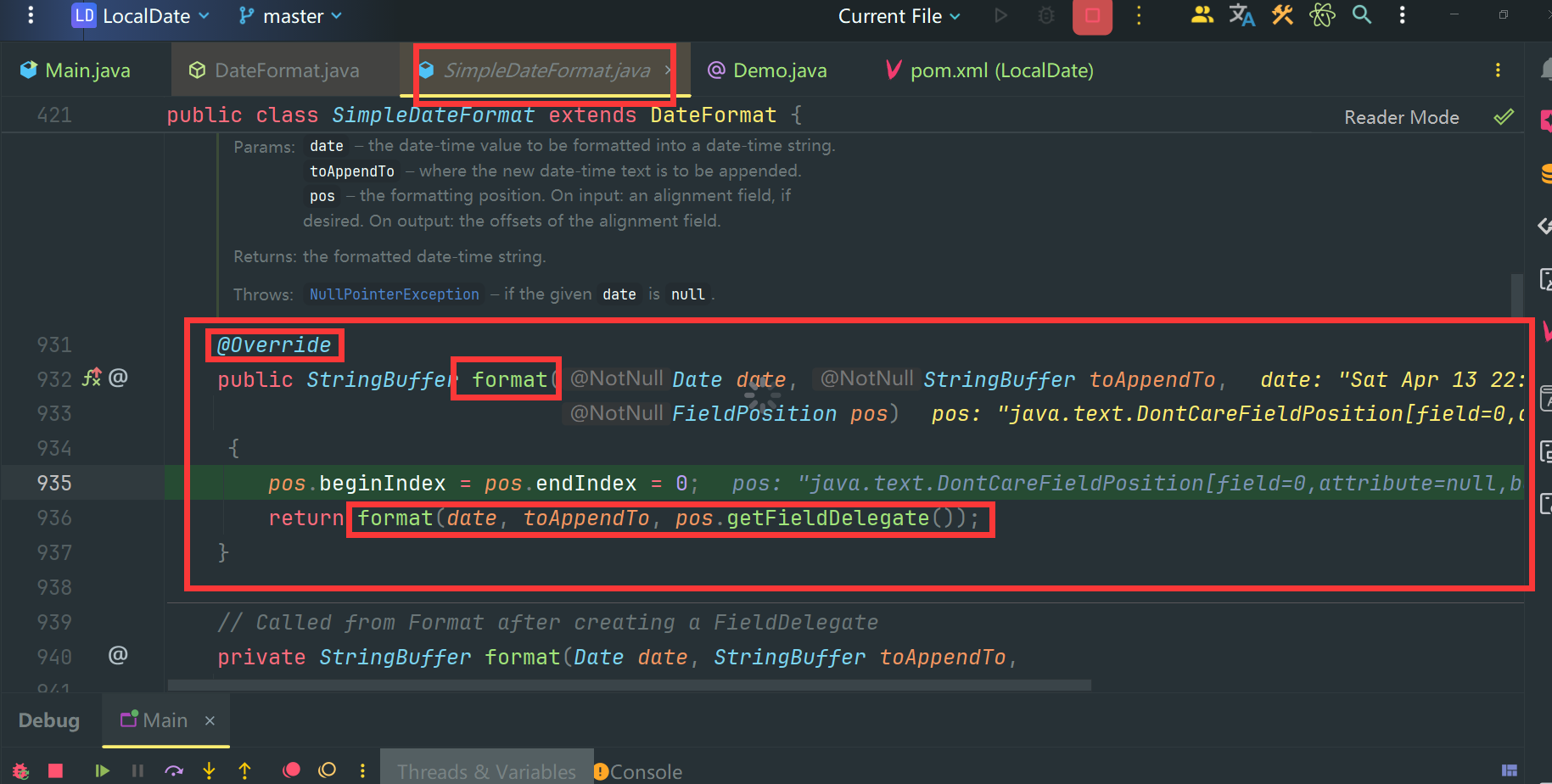
继续用 Smart Step Into 进入新的 Format 方法
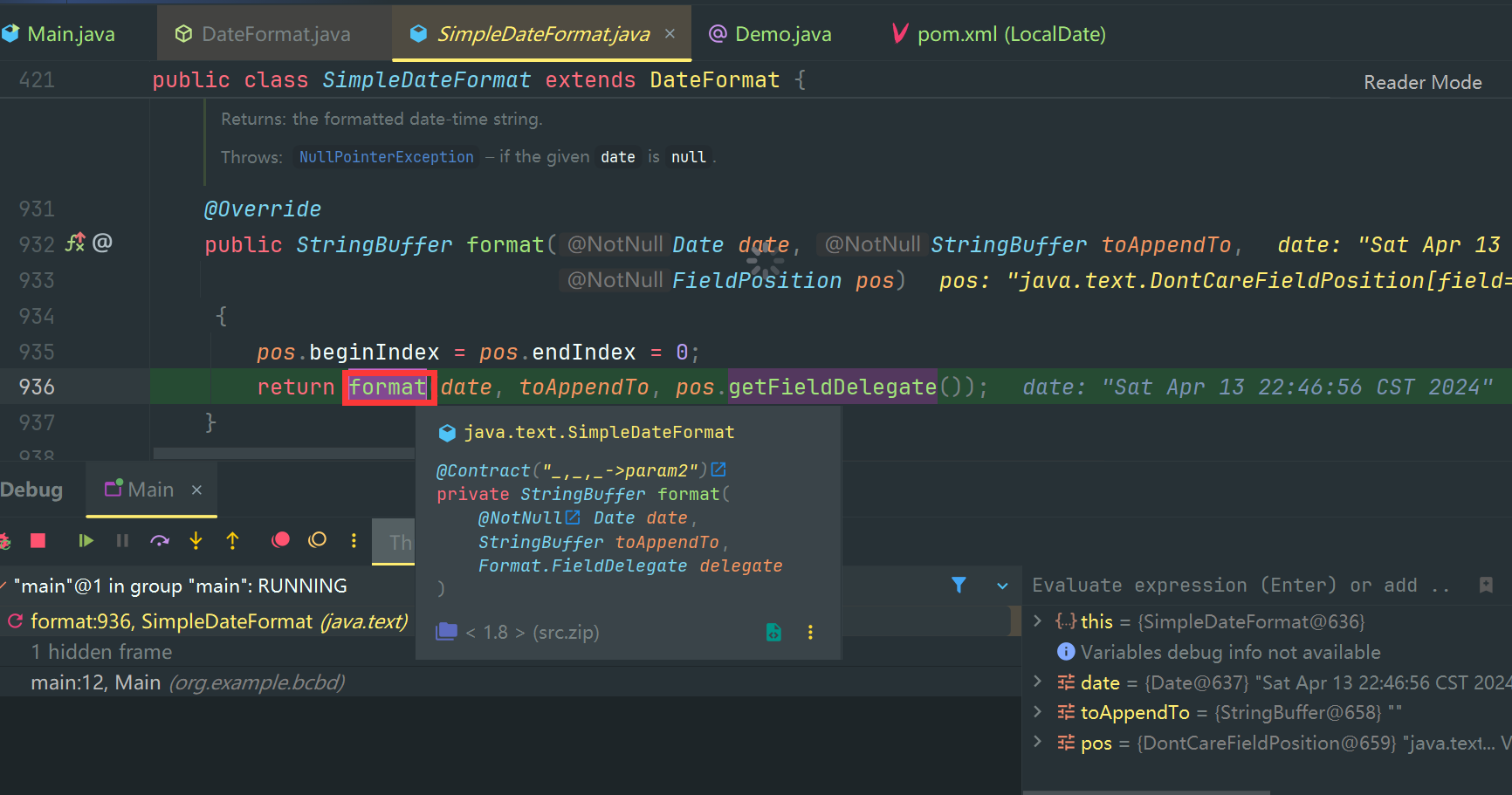
2.8 真正的方法体实现
此时我们正看到 SimpleDateFormat 中的 format 实现

以下是 format 方法源码
    // Called from Format after creating a FieldDelegate
    private StringBuffer format(Date date, StringBuffer toAppendTo,
                                FieldDelegate delegate) {
        // Convert input date to time field list
        calendar.setTime(date);

        boolean useDateFormatSymbols = useDateFormatSymbols();

        for (int i = 0; i < compiledPattern.length; ) {
            int tag = compiledPattern[i] >>> 8;
            int count = compiledPattern[i++] & 0xff;
            if (count == 255) {
                count = compiledPattern[i++] << 16;
                count |= compiledPattern[i++];
            }

            switch (tag) {
            case TAG_QUOTE_ASCII_CHAR:
                toAppendTo.append((char)count);
                break;

            case TAG_QUOTE_CHARS:
                toAppendTo.append(compiledPattern, i, count);
                i += count;
                break;

            default:
                subFormat(tag, count, delegate, toAppendTo, useDateFormatSymbols);
                break;
            }
        }
        return toAppendTo;
    }
三、SimpleDateFormat源码解析
因为calendar是共享变量,并且这个共享变量没有做线程安全控制。当多个线程同时使用相同的SimpleDateFormat对象【如用static修饰的SimpleDateFormat】调用format方法时,多个线程会同时调用calendar.setTime方法,可能一个线程刚设置好time值另外的一个线程马上把设置的time值给修改了导致返回的格式化时间可能是错误的。在多并发情况下使用SimpleDateFormat需格外注意 SimpleDateFormat除了format是线程不安全以外,parse方法也是线程不安全的。parse方法实际调用alb.establish(calendar).getTime()方法来解析,alb.establish(calendar)方法里主要完成了.
-
- 重置日期对象
cal的属性值
- 重置日期对象
-
- 使用
calb中中属性设置cal
- 使用
-
- 返回设置好的
cal对象
- 返回设置好的
但是这三步不是原子操作
多线程并发如何保证线程安全?
- 避免线程之间共享一个
SimpleDateFormat对象,每个线程使用时都创建一次SimpleDateFormat对象 => 创建和销毁对象的开销大 - 对使用
format和parse方法的地方进行加锁 => 线程阻塞性能差 - 使用
ThreadLocal保证每个线程最多只创建一次SimpleDateFormat对象 => 较好的方法
Date对时间处理比较麻烦,比如想获取某年、某月、某星期,以及n天以后的时间,如果用Date来处理的话真是太难了,你可能会说Date类不是有getYear、getMonth这些方法吗,获取年月日很Easy,但都被弃用了啊。