main.py
# This Python file uses the following encoding: utf-8
import sys
from pathlib import Path

from PySide6.QtGui import QGuiApplication
from PySide6.QtQml import QQmlApplicationEngine
from PySide6.QtCore import QObject, Slot

class PythonLogic(QObject):
    @Slot()
    def say_hello(self):
        print("Hello from Python!")


if __name__ == "__main__":
    app = QGuiApplication(sys.argv)
    engine = QQmlApplicationEngine()

    logic = PythonLogic()
    engine.rootContext().setContextProperty("pythonLogic", logic)

    qml_file = Path(__file__).resolve().parent / "main.qml"
    engine.load(qml_file)
    if not engine.rootObjects():
        sys.exit(-1)
    sys.exit(app.exec())
关键代码:
- 导入对象和方法包
from PySide6.QtCore import QObject, Slot
- 自定义对象:注意 @Slot()
class PythonLogic(QObject):
    @Slot()
    def say_hello(self):
        print("Hello from Python!")
- 注册对象
    logic = PythonLogic()
    engine.rootContext().setContextProperty("pythonLogic", logic)
main.qml
import QtQuick
import QtQuick.Window
import QtQuick.Controls

Window {
    width: 640
    height: 480
    visible: true
    title: qsTr("Hello World")

    Button {
        text: "Click me"
        onClicked: pythonLogic.say_hello()
    }
}
关键代码:
- 导入控件包
import QtQuick.Controls
- 添加控件调用对象方法
    Button {
        text: "Click me"
        onClicked: pythonLogic.say_hello()
    }
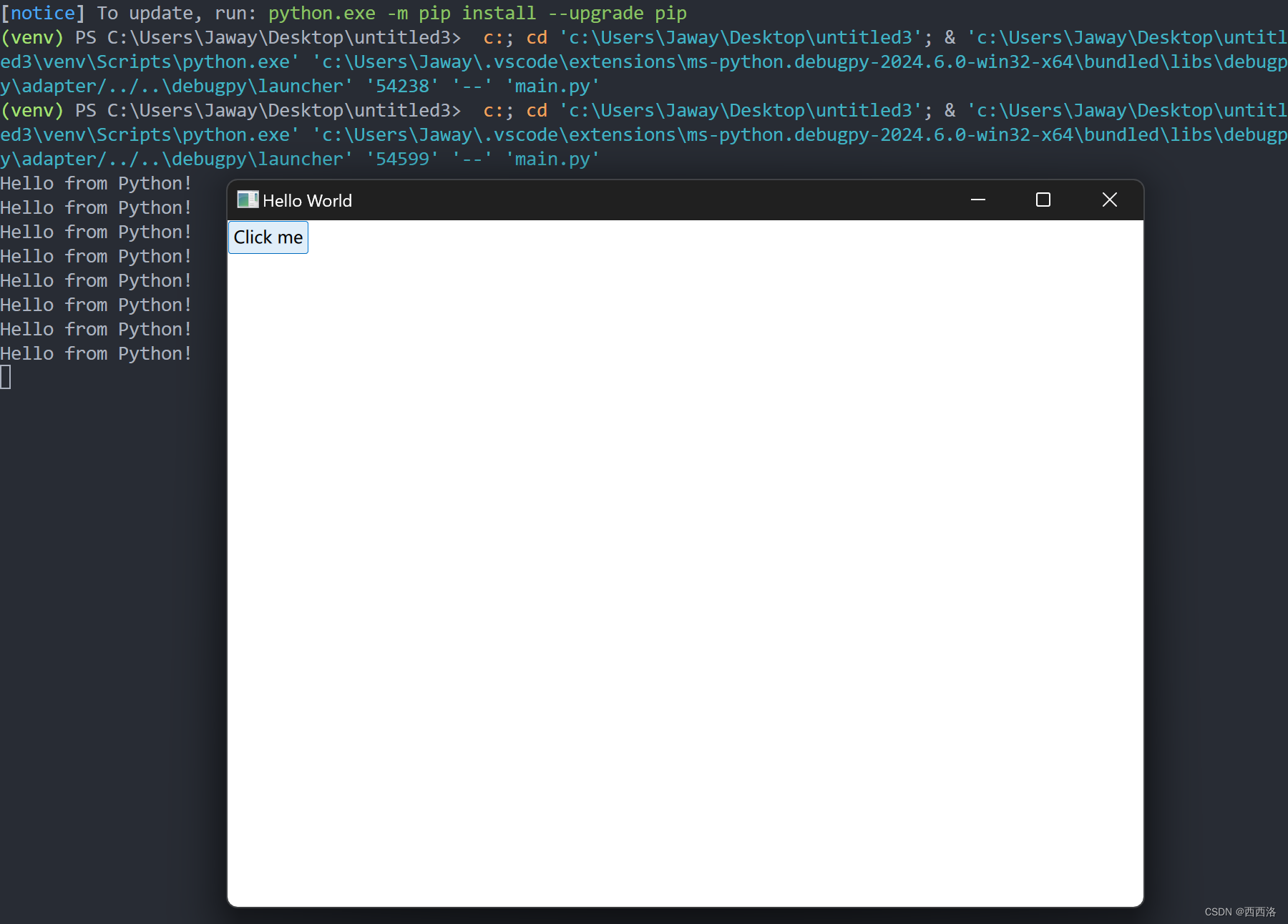
效果