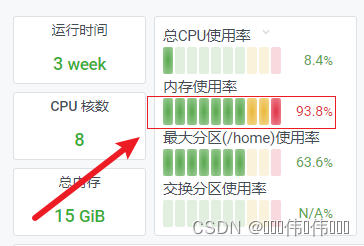
参考能量条制作一个子组件。
现在就是这个能量条要达到复用的效果。
对着vscode一顿输出后的效果是这样的。
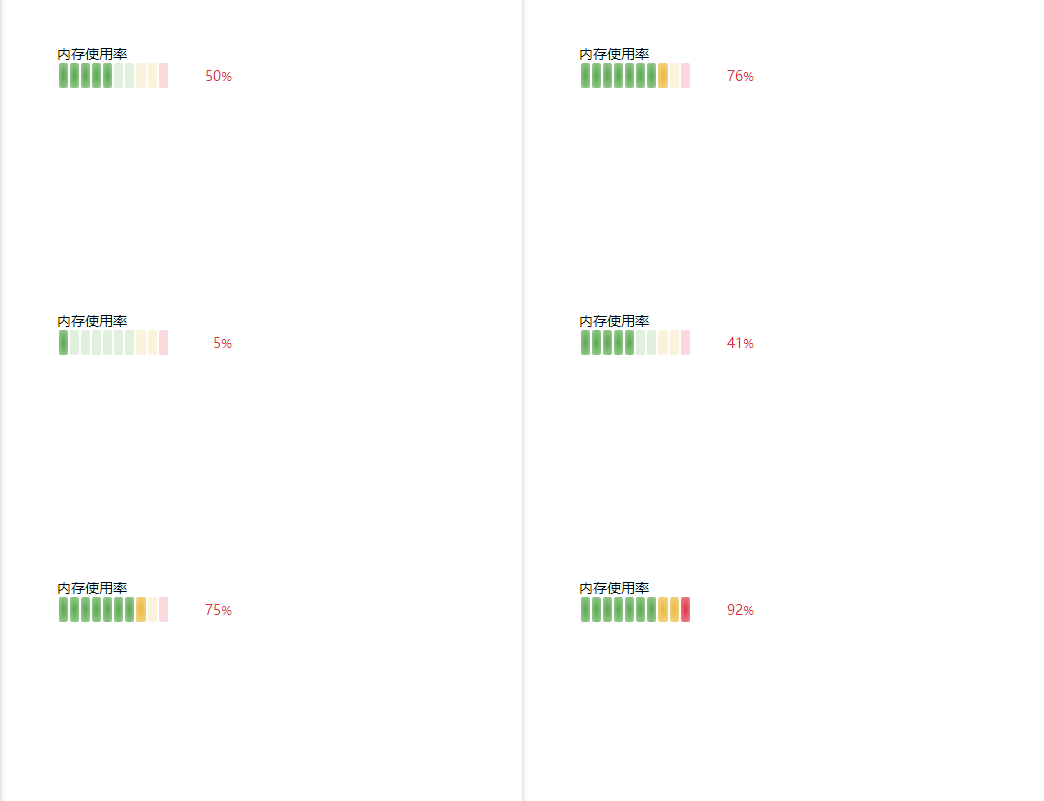
试了一下不支持添加动画过度动效。
<template>
  <div class="container" style="height: 750px;overflow-y: auto">
    <energy class="m-60" :num="num" :title="title" />
  </div>
</template>

<script>
const energy = {
  name: 'energy',
  props: {
    num: { type: [Number, String], require: true, default: 0 },
    title: { type: String, require: true, default: '' },
  },
  methods: {
    getBlock(h) {
      const num = this.num; const ceil = (n) => Math.ceil(n / 10);
      const nodes = Array.from({ length: 10 }, (_, index) => {
        let style = {};
        if (index < 7) {
          if (index >= ceil(num)) {
            style = { background: 'rgba(86, 166, 75, 0.18)' };
          } else {
            style = { backgroundImage: 'radial-gradient(rgba(86, 166, 75, 0.95) 10%, rgba(86, 166, 75, 0.55))' };
          }
        }
        else if (index < 9) {
          if (index >= ceil(num)) {
            style = { background: 'rgba(234, 184, 57, 0.18)' };
          } else {
            style = { backgroundImage: 'radial-gradient(rgba(234, 184, 57, 0.95) 10%, rgba(234, 184, 57, 0.55))' };
          }
        }
        else if (index >= ceil(num)) {
          style = { background: 'rgba(224, 47, 68, 0.18)' };
        } else {
          style = { backgroundImage: 'radial-gradient(rgba(224, 47, 68, 0.95) 10%, rgba(224, 47, 68, 0.55))' };
        }
        return h('div', { class: 'w--10 h--25 ml-2 rounded-sm', style });
      });
      return nodes;
    },
    getTotal(h) {
      const { num } = this;
      return h('div', { class: 'w--60 h--25 flex justify-end items-center text-sm px-10', style: { color: 'rgb(224, 47, 68)', lineHeight: 1 } },
        [
          h('span', {}, num),
          h('span', { class: 'text-xs' }, '%')
        ]
      )
    }
  },
  render(h) {
    const { getBlock, getTotal, title } = this;
    return h('div', { class: 'flex mb-2 h--50', style: { width: '185px' } },
      [
        h('div', { class: 'w-full flex overflow-hidden flex-col' },
          [
            h('div', { class: 'w-full text-sm truncate self-center' }, title),
            h('div', { class: 'wrap h--25 flex items-center', style: { width: '185px' } },
              [
                getBlock(h),
                getTotal(h)
              ]
            ),
          ]
        )
      ]
    )
  },
}
export default {
  name: 'role',
  data() {
    return {
      num: 45,
      title: '内存使用率',
    }
  },
  components: { energy },
  mounted() {
    setInterval(() => {
      this.num = Math.floor(Math.random() * 100);
    }, 2000)
  }
  //  End
};
</script>

<style lang="scss">
</style>