2/50
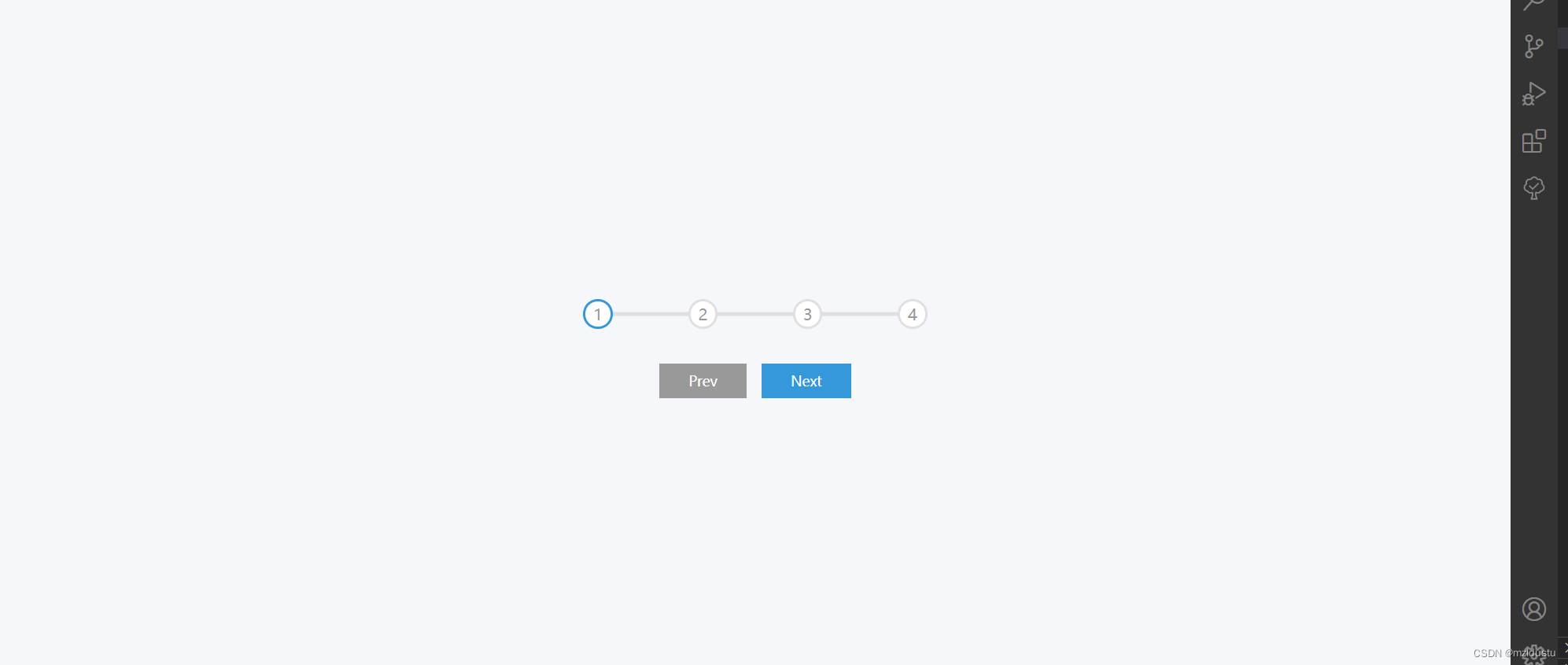
这个小项目主要是实现一个进度栏的功能,常见于我们网申填写简历表单的时候,可能会有一些喜欢扒户口的公司,可能会让你填一大堆信息,还分阶段,本次秋招就填过不少,(个人感觉这种公司其实挺让人无语哈哈哈)先看大概实现的效果:
一开始的时候:
默认在1阶段,然后prev(前一个)是默认没办法点的
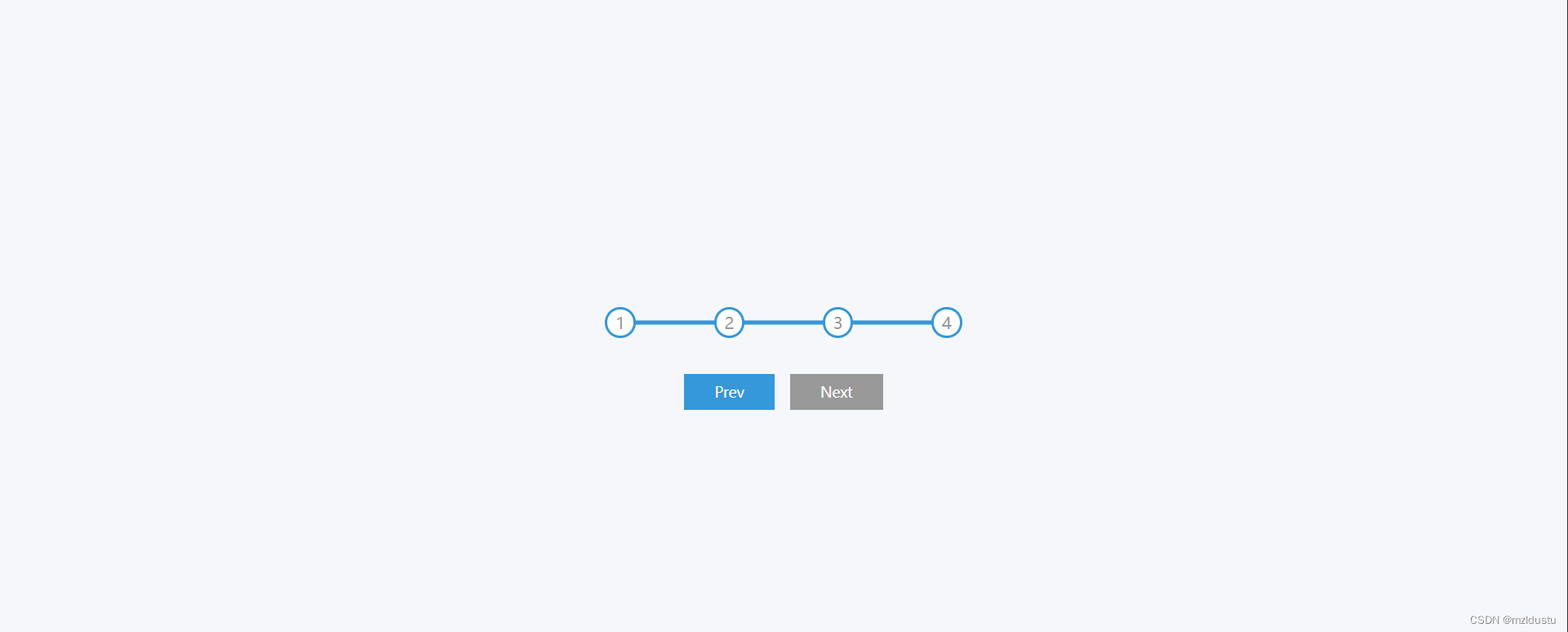
中间阶段:prev和next都是可以点击的

最后阶段:next就被禁用了,无法点击了
html部分直接上代码吧:
<!DOCTYPE html>
<html lang="en">
<head>
    <meta charset="UTF-8">
    <meta http-equiv="X-UA-Compatible" content="IE=edge">
    <meta name="viewport" content="width=device-width, initial-scale=1.0">
    <link rel="stylesheet" href="style.css">
    <title>Progress Steps</title>
</head>
<body>
    <div class="container">
        <div class="progress-container">
            <!-- 这是数字之间的过渡线 -->
            <div class="progress" id="progress"></div>
            <div class="circle active">1</div>
            <div class="circle">2</div>
            <div class="circle">3</div>
            <div class="circle">4</div>
        </div>

        <button class="btn" id="prev" disabled>Prev</button>
        <button class="btn" id="next" >Next</button>
    </div>
    <script src="script.js"></script>
</body>
</html>
也没啥很多的内容,主要就是过渡线以及1,2,3,4四个阶段圈,再加上两个按钮(prev,next)
然后来看css部分:代码是有一点多,但是我感觉我的注释写的挺详细的,其实主要就是写阶段圈和之间连线的样式,以及在阶段进度条往前进一部分之后的动画效果,以及按钮的样式,和按钮被点击的效果。然后设置按钮分别不同时候的禁用。
*{
    box-sizing: border-box;
}

body{
    background-color: #f6f7fb;
    display: flex;
    /* flex-direction: column; */
    align-items: center;
    justify-content: center;
    height: 100vh;
    overflow: hidden;
    margin: 0;
}

.container{
    text-align: center;
}

.progress-container{
    display: flex;
    /* 间隔相同 */
    justify-content: space-between;
    position: relative;
    margin-bottom: 30px;
    max-width: 100%;
    width: 350px;
}
/* 这里是初始时候的灰色线条 */
.progress-container::before{
    content: '';
    background-color: #e0e0e0;
    position: absolute;
    top: 50%;
    left: 0;
    /* 将线向上移动50%以保持穿过数字居中 */
    transform: translateY(-50%);
    height: 4px;
    width: 100%;
    /* 线在数字后面 */
    z-index: -1;
}
/* 这里是在被点击过渡时候的蓝色线条 */
.progress{
    background-color: #3498db;
    position: absolute;
    top: 50%;
    left: 0;
    /* 将线向上移动50%以保持穿过数字居中 */
    transform: translateY(-50%);
    height: 4px;
    width: 0%;
    /* 线在数字后面 */
    z-index: -1;
    transition: 0.4s ease;
}

.circle{
    background-color: #fff;
    color: #999;
    border-radius: 50%;
    height: 30px;
    width: 30px;
    display: flex;
    align-items: center;
    justify-content: center;
    border: 3px solid #e0e0e0;
    transition: 0.4s ease;
}

.circle.active{
    border-color: #3498db;
}

.btn{
    background-color: #3498db;
    color: white;
    border: 0;
    cursor: pointer;
    font-family: inherit;
    padding: 8px 30px;
    margin: 5px;
    font-size: 14px;
}

.btn:active{
    transform: scale(0.98);
}
/* 按钮被点击时也去掉边框 */
.btn:focus{
    outline: 0;
}

.btn:disabled{
    background-color: #999;
    /* 当在按钮disabled状态的时候,无法点击,鼠标点击禁用 */
    cursor: not-allowed;
}
JavaScript部分:这里的js部分其实是比较简单的,主要就是设置点击事件然后序号会++,每点击一次进行+1到下一个阶段序号,跳到上一个同理,然后在跳的时候都会触发update函数,当update到这一阶段的时候就会在当前选中的阶段的圈加上active,其他的去掉,以达到样式改变的效果,最后根据进度的数字设置一下百分比然后进行拼接,最后判断next和prev是否在第一个和最后一个分别进行disabled生效失效。
const progress = document.getElementById('progress')
const prev = document.getElementById('prev')
const next = document.getElementById('next')
const circles = document.querySelectorAll('.circle')

let currentActive = 1
// 点击next的时候跳到下一个序号的圈
next.addEventListener('click', () => {
    currentActive++

    if(currentActive > circles.length) {
        currentActive = circles.length
    }

    update()
})
// 点击prev的时候跳到上一个序号的圈
prev.addEventListener('click', () => {
    currentActive--

    if(currentActive < 1) {
        currentActive = 1
    }

    update()
})
// 当前选中序号的圈上面加上active,其他的去掉active
function update() {
    circles.forEach((circle, idx) => {
        if(idx < currentActive) {
            circle.classList.add('active')
        } else {
            circle.classList.remove('active')
        }
    })

    const actives = document.querySelectorAll('.active')
// 进度百分比
    progress.style.width = (actives.length - 1) / (circles.length - 1) * 100 + '%'
// 当到第一个或者最后一个的时候分别禁用prev和next,其他时候就设置为可以prev和next
    if(currentActive === 1) {
        prev.disabled = true
    } else if(currentActive === circles.length) {
        next.disabled = true
    } else {
        prev.disabled = false
        next.disabled = false
    }
}
第二天的进度栏大概就是这些东西了,总体来说难度还是不大的,主要是css部分要注意下,一起学习进步,加油!
本文含有隐藏内容,请 开通VIP 后查看