前言:
DevEcoStudio版本:
"compileSdkVersion": 10
效果:

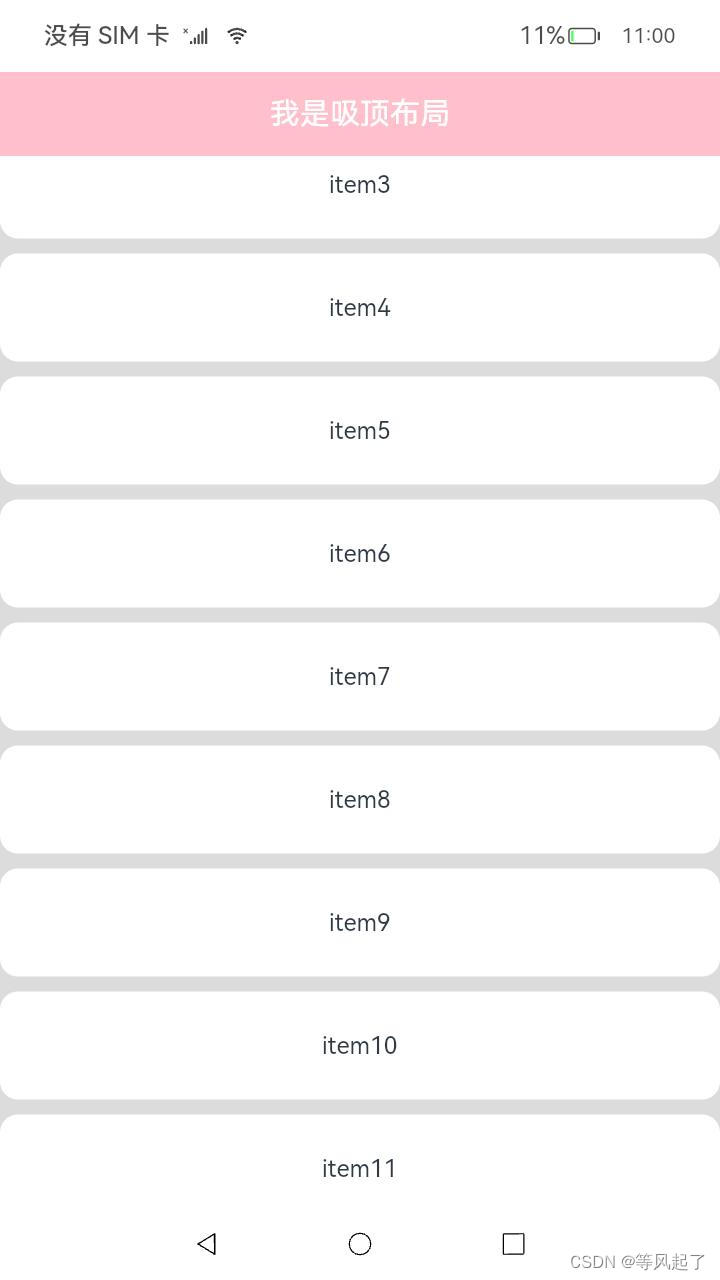
原理分析:
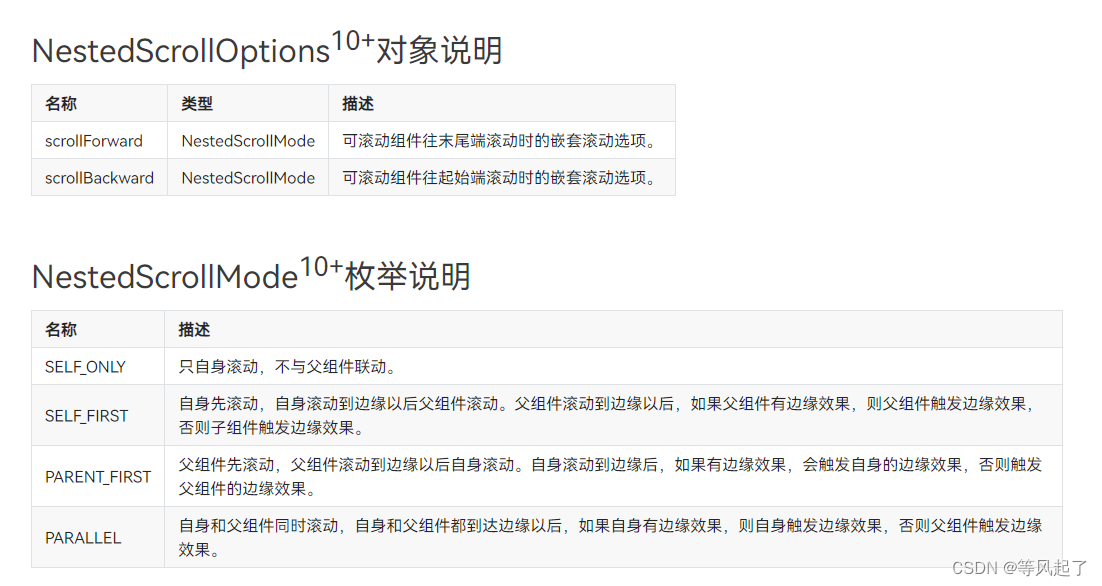
基于Tabs的barPosition属性,设置Tabs的页签位置:BarPosition.Start。这样就能保证在滚动的时候tab位于顶部。因为本身布局是Scroll嵌套List所以需要对滚动事件进行处理。通过List的nestedScroll属性(API 10的属性)设置向前向后两个方向上的嵌套滚动模式。
当向上滑动时:Scroll滑动,List不滑动,当Tabs吸顶后List在滑动。
当向下滑动时:List不在顶部,List滑动,Scroll不滑动,List滑动到顶部后Scroll再滑动。
List(){
   //......
}
.nestedScroll({
   scrollForward: NestedScrollMode.PARENT_FIRST,
   scrollBackward: NestedScrollMode.SELF_FIRST
})
详细代码:
@Entry
@Component
struct Index {
   @State list: number[] = []

   aboutToAppear() {//添加测试数据
      for (let i = 0; i < 30; i++) {
         this.list.push(i)
      }
   }

   @Styles
   listStyle() {
      .backgroundColor(Color.White)
      .height(72)
      .width("100%")
      .borderRadius(12)
   }

   @Builder
   TabBuilder(title: string) {
      Column() {
         Text(title)
            .fontSize(20)
            .fontColor(Color.White)
      }
      .padding({ top: 10, bottom: 10 })
      .justifyContent(FlexAlign.Center)
      .backgroundColor(Color.Pink)
      .height(56)
      .width('100%')
   }

   build() {
      Scroll() {
         Column() {
            Text("头部滚动区域")
               .width("100%")
               .height("30%")
               .fontSize(20)
               .fontColor(Color.White)
               .backgroundColor('#0080DC')
               .textAlign(TextAlign.Center)

            Tabs() {
               TabContent() {
                  List({ space: 10 }) {
                     ForEach(this.list, (item: number) => {
                        ListItem() {
                           Text("item" + item).fontSize(16)
                        }.listStyle()
                     }, (item: string) => item)
                  }.width("100%")
                  .height('100%')
                  .edgeEffect(EdgeEffect.None)
                  .nestedScroll({
                     scrollForward: NestedScrollMode.PARENT_FIRST,
                     scrollBackward: NestedScrollMode.SELF_FIRST
                  })
               }.tabBar(this.TabBuilder("我是吸顶布局"))
            }
            .vertical(false)
            .height("100%")
         }.width("100%")
      }
      .edgeEffect(EdgeEffect.None)
      .backgroundColor('#DCDCDC')
      .scrollBar(BarState.Off)
      .width('100%')
      .height('100%')
   }
}
本文含有隐藏内容,请 开通VIP 后查看