一.对话框的概念
对话框是与用户进行简短交互的顶层窗口。
QDialog是Qt中所有对话框窗口的基类。
QDialog继承与QWidfet是一种容器类型的组件。
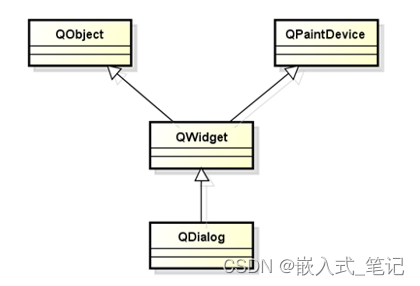
QDialog的意义:
QDialog作为一种专业的交互窗口而存在。
QDialog不能作为子部部件嵌入其他容器中。
QDialog是定制了窗口式样的特殊的QWidget。
二.对话框的类型
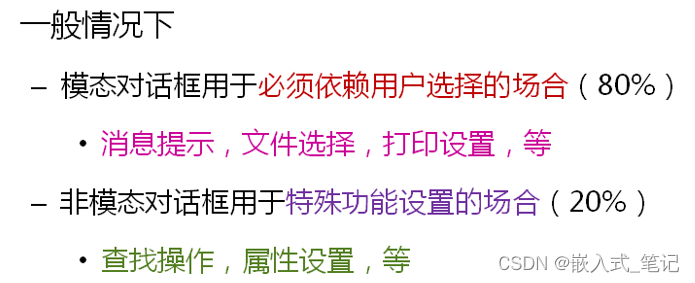
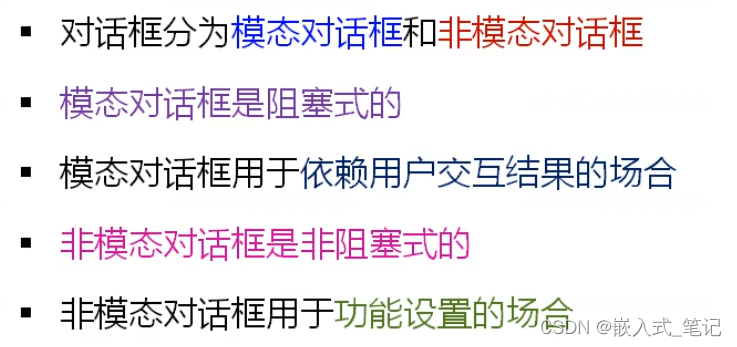
模态对话框(QDialog::exec())
- 显示后无法与父窗口进行交互
- 是一种阻塞式的对话框调用方式
非模式对话框(QDialog::show)
- 显示后独立存在可以同时与父窗口进行交互
- 是一种非阻塞式的对话框调用方式。
三.对话框程序设计
main:
#include <QtGui/QApplication>
#include <QWidget>
#include <QDialog>
#include <QDebug>
#include "Dialog.h"

int main(int argc, char *argv[])
{
    QApplication a(argc, argv);
    Dialog dlg;
    int r = dlg.exec();

    if( r == QDialog::Accepted )
    {
        qDebug() << "Accepted";
    }
    else if( r == QDialog::Rejected )
    {
        qDebug() << "Rejected";
    }
    else
    {
        qDebug() << r;
    }

    return r;
}
Dialog.c
#include "Dialog.h"

#include <QDebug>

Dialog::Dialog(QWidget *parent) :
        QDialog(parent), ModalBtn(this), NormalBtn(this), MixedBtn(this)
{
    ModalBtn.setText("Modal Dialog");
    ModalBtn.move(20, 20);
    ModalBtn.resize(100, 30);

    NormalBtn.setText("Normal Dialog");
    NormalBtn.move(20, 70);
    NormalBtn.resize(100, 30);

    MixedBtn.setText("Mixed Dialog");
    MixedBtn.move(20, 120);
    MixedBtn.resize(100, 30);

    connect(&ModalBtn, SIGNAL(clicked()), this, SLOT(ModalBtn_Clicked()));
    connect(&NormalBtn, SIGNAL(clicked()), this, SLOT(NormalBtn_Clicked()));
    connect(&MixedBtn, SIGNAL(clicked()), this, SLOT(MixedBtn_Clicked()));

    resize(140, 170);
}

void Dialog::ModalBtn_Clicked()
{
    qDebug() << "ModalBtn_Clicked() Begin";

    QDialog dialog(this);

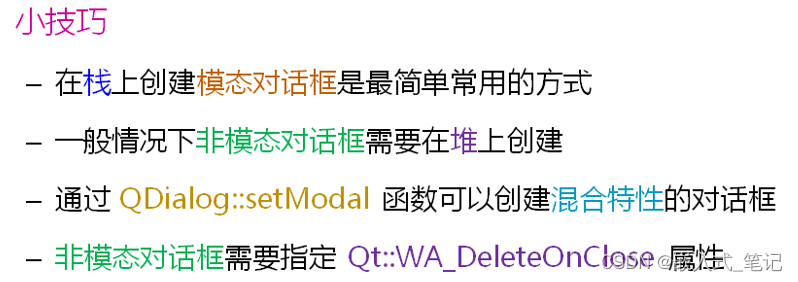
    dialog.exec();  //阻塞式调用

    // done(Accepted);

    qDebug() << "ModalBtn_Clicked() End";
}

void Dialog::NormalBtn_Clicked()
{
    qDebug() << "NormalBtn_Clicked() Begin";

    QDialog* dialog = new QDialog(this);

    dialog->setAttribute(Qt::WA_DeleteOnClose);
    dialog->show();

    // done(Rejected);

    qDebug() << "NormalBtn_Clicked() End";
}

void Dialog::MixedBtn_Clicked()
{
    qDebug() << "MixedBtn_Clicked() Begin";

    QDialog* dialog = new QDialog(this);

    dialog->setAttribute(Qt::WA_DeleteOnClose);
    dialog->setModal(true);
    dialog->show();

    // done(100);

    qDebug() << "MixedBtn_Clicked() End";
}

Dialog::~Dialog()
{
    qDebug() << "~Dialog()";
}
Dialog.h
#ifndef DIALOG_H
#define DIALOG_H

#include <QtGui/QDialog>
#include <QPushButton>

class Dialog : public QDialog
{
    Q_OBJECT
protected:
    QPushButton ModalBtn;
    QPushButton NormalBtn;
    QPushButton MixedBtn;
protected slots:
    void ModalBtn_Clicked();
    void NormalBtn_Clicked();
    void MixedBtn_Clicked();
public:
    Dialog(QWidget *parent = 0);
    ~Dialog();
};

#endif // DIALOG_H
Dialog::ModalBtn_Clicked()为阻塞式调用,程序会一直卡在ModalBtn_Clicked() Begin,只有将对话框关闭,程序还会继续向下运行,ModalBtn_Clicked() End才会打印。
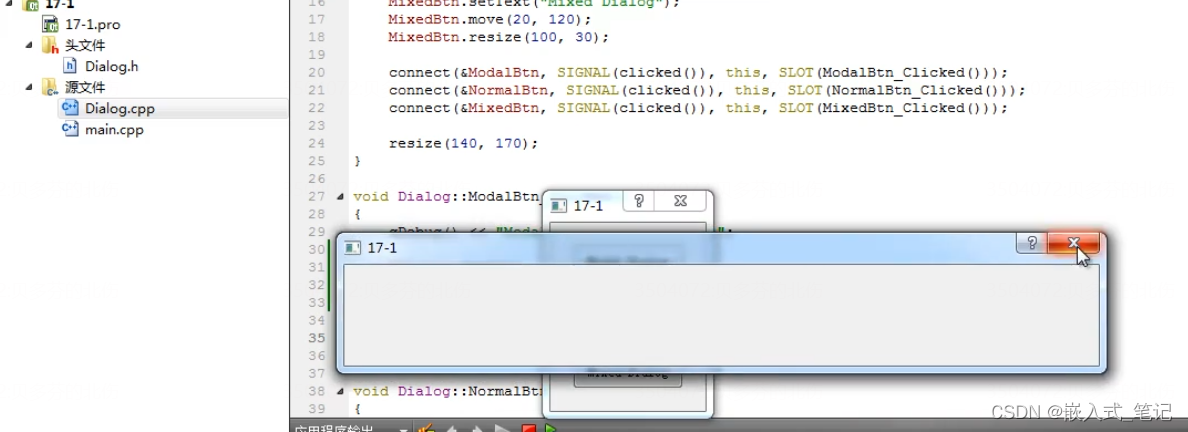
Dialog::NormalBtn_Clicked()为非阻塞式调用,程序会一直运行,NormalBtn_Clicked() Begin,NormalBtn_Clicked() End,会连续打印,但还是不能和其他窗口进行交互。
小结:
本文含有隐藏内容,请 开通VIP 后查看