1、效果展示
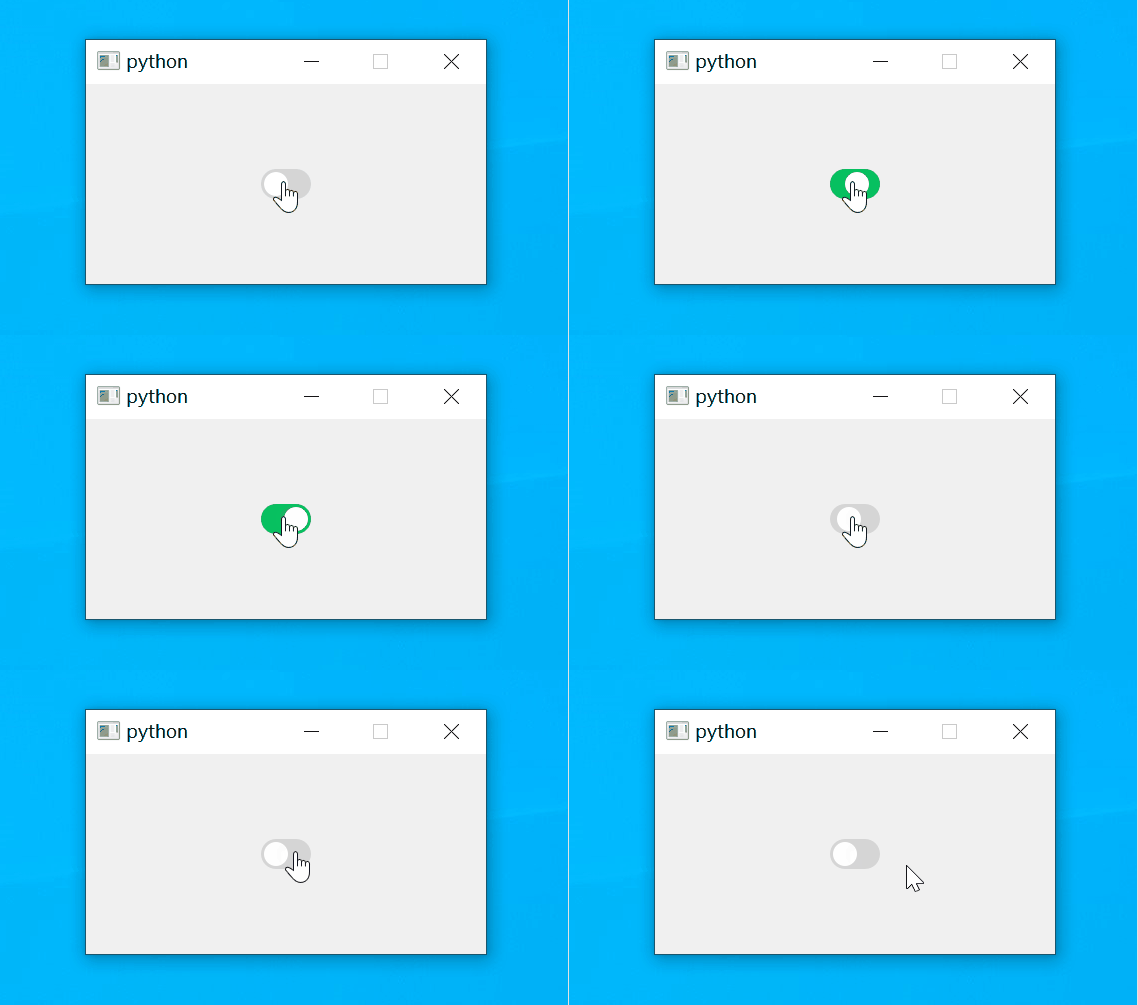
2、控件源码
import sys
from PyQt5.QtCore import Qt, QRect, QPoint, QVariantAnimation
from PyQt5.QtGui import QPainter, QColor
from PyQt5.QtWidgets import QApplication, QWidget, QHBoxLayout


class SwitchButton(QWidget):
    def __init__(self, parent=None):
        super().__init__(parent)
        self.setFixedSize(50, 30)
        self.checked = False
        self.setCursor(Qt.PointingHandCursor)
        self.animation = QVariantAnimation()
        self.animation.setDuration(80)  # 动画持续时间
        self.animation.setStartValue(0)
        self.animation.setEndValue(20)
        self.animation.valueChanged.connect(self.update)
        self.animation.finished.connect(self.onAnimationFinished)

    def setText(self, value):
        pass

    def isChecked(self):
        return self.checked

    def setChecked(self, check):
        self.checked = check
        self.animation.setDirection(QVariantAnimation.Forward if self.checked else QVariantAnimation.Backward)
        self.animation.start()

    def paintEvent(self, event):
        painter = QPainter(self)
        painter.setRenderHint(QPainter.Antialiasing)
        painter.setPen(Qt.NoPen)
        if self.checked:
            painter.setBrush(QColor('#07c160'))  # 选中颜色
        else:
            painter.setBrush(QColor('#d5d5d5'))  # 未选中颜色

        # 绘制外框
        painter.drawRoundedRect(QRect(0, 0, self.width(), self.height()), 15, 15)

        # 按钮位置
        offset = self.animation.currentValue()

        # 绘制按钮
        painter.setBrush(QColor(255, 255, 255))
        painter.drawEllipse(QPoint(15 + offset, 15), 12, 12)

    def mouseReleaseEvent(self, event) -> None:
        if event.button() == Qt.LeftButton:
            self.checked = not self.checked
            self.animation.setDirection(QVariantAnimation.Forward if self.checked else QVariantAnimation.Backward)
            self.animation.start()

    def onAnimationFinished(self):
        pass


class Example(QWidget):
    def __init__(self):
        super().__init__()
        self.initUI()

    def initUI(self):
        layout = QHBoxLayout()
        switch = SwitchButton()
        layout.addWidget(switch)
        self.setLayout(layout)
        self.setFixedSize(400, 200)


if __name__ == '__main__':
    app = QApplication(sys.argv)
    ex = Example()
    ex.show()
    sys.exit(app.exec_())
本文含有隐藏内容,请 开通VIP 后查看