.wxml
<view class="table-container">
  <scroll-view class="table-scroll" scroll-x>
    <view class="table-wrapper">
      <view class="header-wrapper">
        <view class="header">
        <text class="cell">列1</text>
      <text class="cell">列2</text>
      <text class="cell">列3</text>
      <text class="cell">列4</text>
      <text class="cell">列5</text>
      <text class="cell">列6</text>
      <text class="cell">列7</text>
      <text class="cell">列8</text>
      <text class="cell">列9</text>
      <text class="cell">列10</text>
      <text class="cell">列11</text>
      </view>
      </view>

      <view class="content-wrapper">
      <scroll-view class="content" scroll-x scroll-y>

    <view class="row">
     <text class="cell">行1列1</text>
      <text class="cell">行1列2</text>
      <text class="cell">行1列3</text>
      <text class="cell">行1列4</text>
      <text class="cell">行1列5</text>
      <text class="cell">行1列6</text>
      <text class="cell">行1列7</text>
      <text class="cell">行1列8</text>
      <text class="cell">行1列9</text>
      <text class="cell">行1列10</text>
      <text class="cell">行1列11</text>
    </view>
    <view class="row">
     <text class="cell">行2列1</text>
      <text class="cell">行2列2</text>
      <text class="cell">行2列3</text>
      <text class="cell">行2列4</text>
      <text class="cell">行2列5</text>
      <text class="cell">行2列6</text>
      <text class="cell">行2列7</text>
      <text class="cell">行2列8</text>
      <text class="cell">行2列9</text>
      <text class="cell">行2列10</text>
      <text class="cell">行2列11</text>
    </view>
    <view class="row">
     <text class="cell">行3列1</text>
      <text class="cell">行3列2</text>
      <text class="cell">行3列3</text>
      <text class="cell">行3列4</text>
      <text class="cell">行3列5</text>
      <text class="cell">行3列6</text>
      <text class="cell">行3列7</text>
      <text class="cell">行3列8</text>
      <text class="cell">行3列9</text>
      <text class="cell">行3列10</text>
      <text class="cell">行3列11</text>
    </view>
    <view class="row">
     <text class="cell">行4列1</text>
      <text class="cell">行4列2</text>
      <text class="cell">行4列3</text>
      <text class="cell">行4列4</text>
      <text class="cell">行4列5</text>
      <text class="cell">行4列6</text>
      <text class="cell">行4列7</text>
      <text class="cell">行4列8</text>
      <text class="cell">行4列9</text>
      <text class="cell">行4列10</text>
      <text class="cell">行4列11</text>
    </view>
      </scroll-view>
    </view>
    </view>
  </scroll-view>
</view>
.wxss
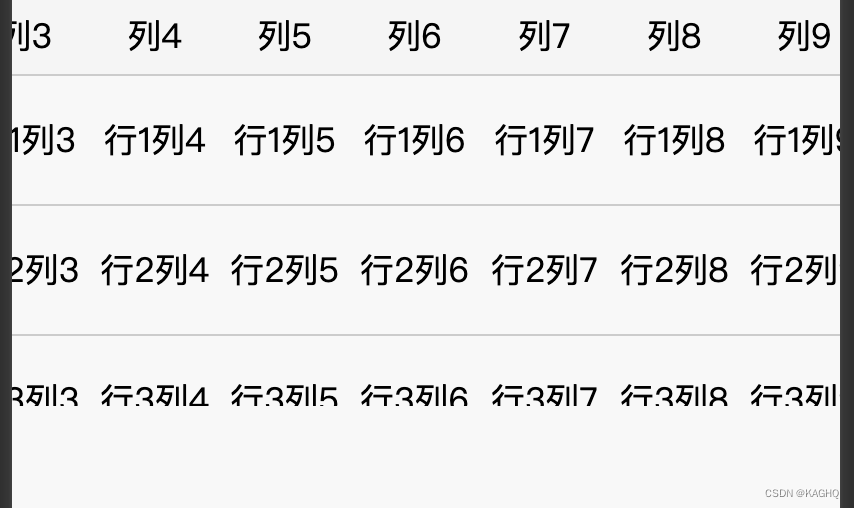
实现表格表头固定 表格内容随着表头可以滑动并且可以根据设定的内容高度300rpx实现滑动请求
.table-container {
height: 400rpx;
overflow: hidden;
}
.table-scroll {
width: 100%;
height: 100%;
}
.table-wrapper {
display: flex;
flex-direction: column;
min-width: max-content;
}
.header-wrapper {
position: sticky;
top: 0;
z-index: 1;
background-color: #f5f5f5;
border-bottom: 1rpx solid #ccc;
}
.header {
display: flex;
}
.content {
flex-grow: 1;
height: 300rpx;
}
.row {
display: flex;
align-items: center;
border-bottom: 1rpx solid #ccc;
}
.cell {
flex: 1;
padding: 10rpx;
text-align: center;
}