改变前
 改变后
改变后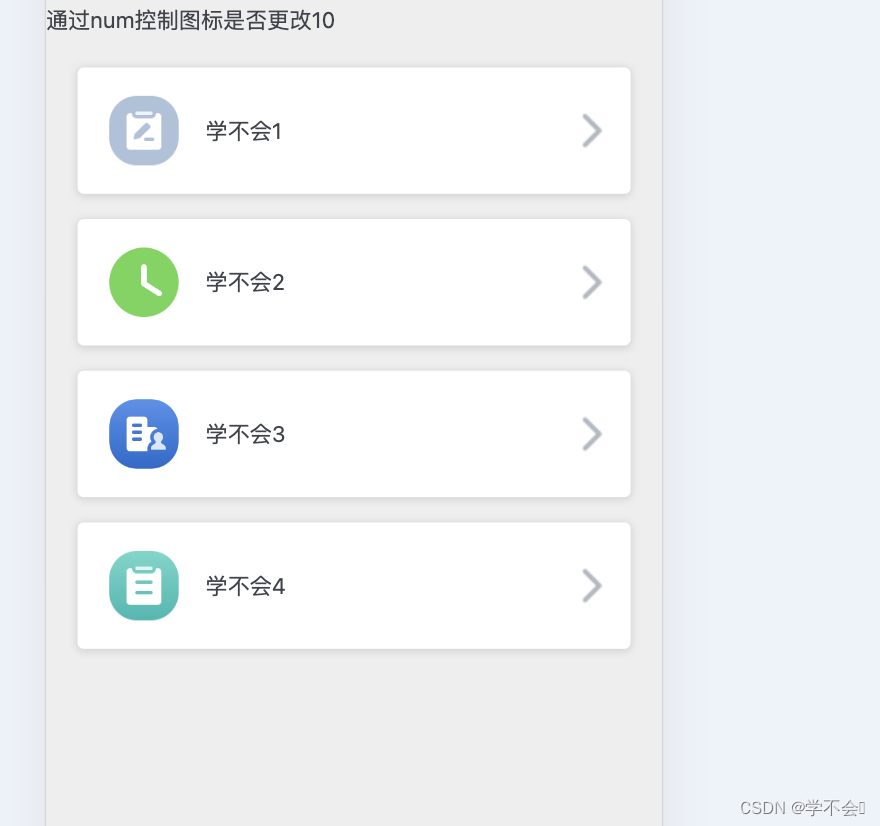
通过数据来控制样式展示
<template>
  <div>
    通过num控制图标是否更改{{num}}
    <div class="box">
      <!-- 如果num大于1则是另一种,样式,如果小时1,则是另一种样式 -->
      <div class="item" :class="num > 1 ? 'noClick' :''" v-for="(item,index) in menuData" :key="index">
        <div class="img" :class="item.icon"></div>
        <div class="content">{{item.name}}</div>
        <div class="arrow"><img src="../assets/evaluateOthers/role-arrow.png" alt=""></div>
      </div>
    </div>
  </div>
</template>


<script>
export default {
  data () {
    return {
      num: 10,
      menuData: [
        {
          name: '学不会1',
          icon: 'other'
        },
        {
          name: '学不会2',
          icon: 'my'
        },
        {
          name: '学不会3',
          icon: 'people'
        },
        {
          name: '学不会4',
          icon: 'shaicha'
        }
      ]
    }
  }
}
</script>

<style lang="less" scoped>
.box {
  padding: 20px;
}
.item {
  background: #ffffff;
  box-shadow: 0px 1px 5px 1px rgba(0, 0, 0, 0.11);
  border-radius: 4px;
  width: 100%;
  margin-bottom: 16px;
  padding: 18px 17px 18px 20px;
  box-sizing: border-box;
  display: flex;
  align-items: center;
  position: relative;
}
.img {
  width: 44px;
  height: 44px;
  margin-right: 17px;
  &.other {
    background: url('../assets/evaluateOthers/other-icon.png') no-repeat center;
    background-size: 44px;
  }
  &.my {
    background: url('../assets/evaluateOthers/my-icon.png') no-repeat center;
    background-size: 44px;
  }
  &.people {
    background: url('../assets/evaluateOthers/people-icon.png') no-repeat center;
    background-size: 44px;
  }
  &.shaicha {
    background: url('../assets/evaluateOthers/shaicha.png') no-repeat center;
    background-size: 44px;
  }
}
// 符合条件后带的样式
.noClick {
  .img {
    &.other {
      background: url('../assets/evaluateOthers/no-other-icon.png') no-repeat
        center;
      background-size: 44px;
    }
    &.my {
      background: url('../assets/evaluateOthers/wartfor.png') no-repeat center;
      background-size: 44px;
    }
    &.people {
      background: url('../assets/evaluateOthers/people-icon.png') no-repeat
        center;
      background-size: 44px;
    }
    &.shaicha {
      background: url('../assets/evaluateOthers/shaicha.png') no-repeat center;
      background-size: 44px;
    }
  }
}
.arrow {
  position: absolute;
  right: 14px;
  top: 50%;
  transform: translate(0, -50%);
}
</style>